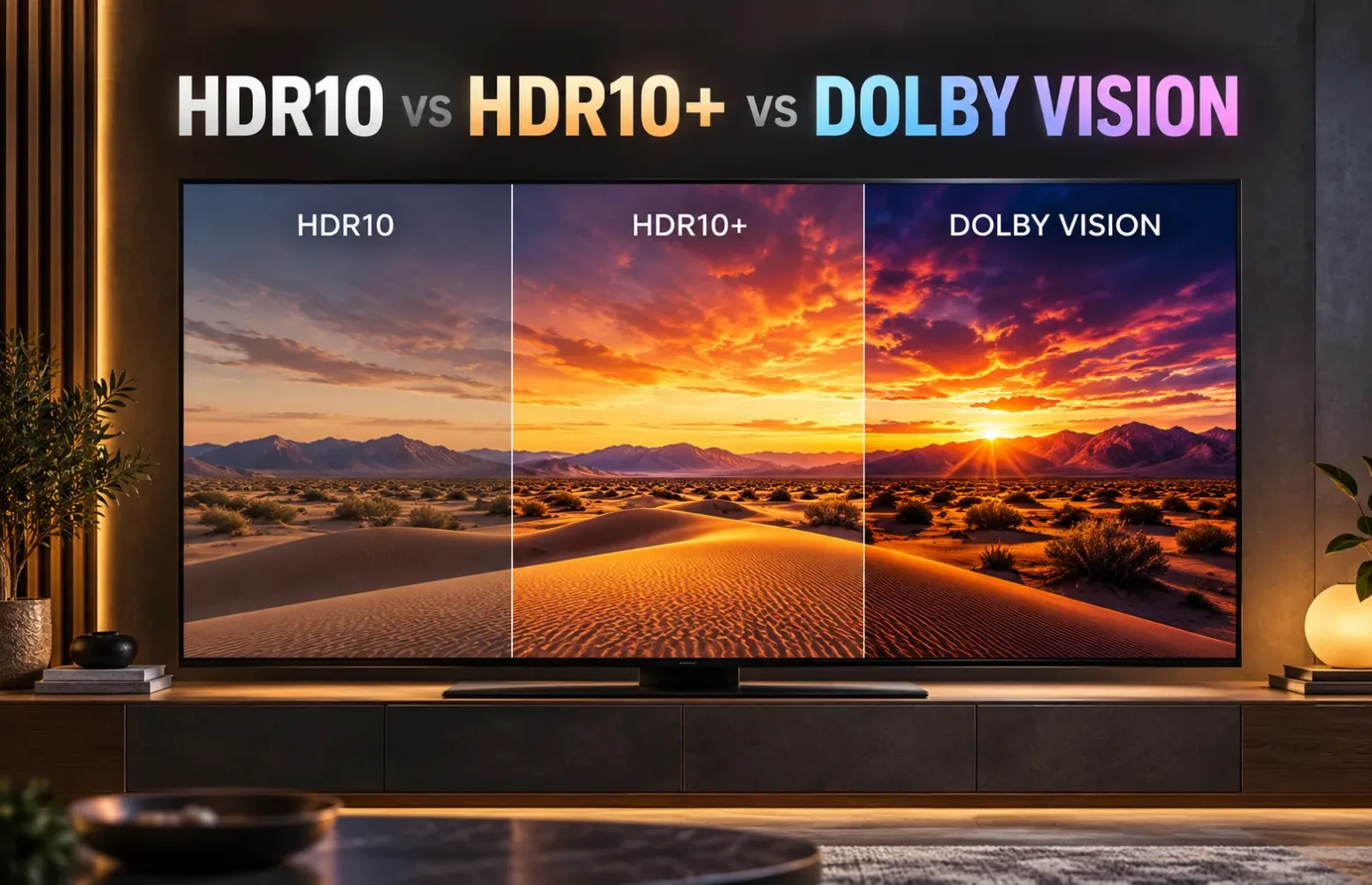
Two televisions can advertise 4K resolution, support high dynamic range and cost roughly the same amount, yet offer different HDR formats. One might support Dolby Vision, another HDR10+, and a third might stop at HDR10.
Does that make one television automatically better?
I wouldn’t make that assumption.
The HDR format determines how picture information reaches your television and how much guidance the display receives when reproducing bright highlights, dark scenes and subtle colour differences. But the television’s actual display capabilities still play a major role in the result.
For buyers comparing Sony, Samsung, LG, TCL, Hisense and other televisions in India, understanding these formats is useful. It helps explain why certain streaming titles look different across TVs and which HDR features are genuinely worth paying for.
Quick Answer: HDR10, HDR10+ or Dolby Vision?
Dolby Vision offers the most extensive creative tools of the three formats, while HDR10+ delivers a similar core advantage through dynamic metadata. HDR10 remains a capable and widely supported HDR foundation.
For everyday viewing, I would prioritise television picture quality and compatibility with the content you actually watch over choosing a model solely because it has one particular HDR logo.
- HDR10: A dependable foundation for HDR movies, streaming and gaming.
- HDR10+: Adds scene-dependent picture information that helps compatible TVs adjust their tone mapping.
- Dolby Vision: Uses dynamic metadata and a more extensive content-mastering system, with support for up to 12-bit video workflows.
The distinction becomes especially interesting when a television cannot reproduce all the brightness or colours contained in the original HDR master.
HDR10 vs HDR10+ vs Dolby Vision: Key Differences
| Feature | HDR10 | HDR10+ | Dolby Vision |
|---|---|---|---|
| HDR metadata | Static | Dynamic | Dynamic |
| Colour bit depth | 10-bit | 10-bit | Up to 12-bit |
| Scene-by-scene metadata | No | Yes | Yes |
| Licensing approach | Open standard | Open, royalty-free standard | Proprietary, licensed |
| Main advantage | Broad compatibility | Adaptive tone mapping | Extensive creative and display-mapping tools |
| Common uses | Games, UHD Blu-ray, streaming | Streaming, select discs and compatible games | Streaming, UHD Blu-ray and compatible games |
The listed bit depths describe format capabilities, not necessarily the native panel depth of a particular television. Actual HDR playback depends on the content, television, app and source device.
Why HDR Metadata Matters More Than the Logo Suggests
Imagine a film with two very different scenes.
The first takes place inside a dimly lit building, with only a small lamp illuminating the characters. The next scene moves outside into strong sunlight.
Both scenes place different demands on the television.
The darker scene needs careful control of shadows and small highlights. The outdoor scene may require much greater brightness to preserve detail in bright areas.
The problem is that a film might have been mastered on equipment capable of displaying a much wider brightness range than your television.
Your TV must decide how to translate that range into what its screen can actually reproduce. This process is called tone mapping.
Metadata can help guide that decision.
HDR10 provides static metadata associated with the programme. HDR10+ and Dolby Vision can provide additional information that changes between scenes or individual frames.
That flexibility can help compatible televisions preserve the intended relationship between highlights, shadows and midtones when the picture becomes difficult to reproduce.
However, static metadata doesn’t mean an HDR10 television must use one unchanging brightness curve throughout a film. Many televisions analyse HDR10 images and perform their own dynamic tone mapping.
The difference is whether the content itself supplies additional scene-specific instructions.
HDR10: Why the Basic Format Is Still Important
HDR10 is the common starting point for modern HDR entertainment.
It uses a 10-bit video signal, the PQ brightness-transfer function and static mastering metadata. The format allows content creators to work with a much wider range of brightness and colour than traditional standard dynamic range video.
That doesn’t guarantee an impressive image.
Consider a budget 4K television with limited brightness, modest contrast and basic backlighting. Even when it receives a perfectly valid HDR10 signal, it may struggle to reproduce demanding highlights or dark scenes.
Now compare it with a high-quality OLED or Mini LED television showing the same HDR10 content.
The second display may deliver a considerably more convincing HDR result without needing a different format.
This is why I would never dismiss a well-engineered television simply because HDR10 is the primary format being used.
HDR10 also plays an important compatibility role. Many HDR10+ and Dolby Vision titles have an HDR10 playback path, allowing equipment without the advanced format to receive a conventional HDR version where that version is provided.
HDR10+: Dynamic HDR Without the Dolby Vision Requirement
HDR10+ builds on the HDR10 foundation by adding dynamic metadata.
Instead of relying only on programme-level information, it can provide instructions associated with individual scenes or frames.
That gives compatible TVs more guidance when adapting demanding content to their own brightness capabilities.
A useful example is a night-time scene containing a bright vehicle headlight or illuminated street sign. Preserving the brightest elements without sacrificing surrounding details can require careful tone mapping.
HDR10+ provides additional scene-specific information that can help the television make those decisions.
The standard is also royalty-free, although participation in certification programmes can involve administrative requirements.
Samsung has been a particularly prominent supporter of HDR10+.
For example, the company’s R95H Micro RGB television supports HDR10+ but not Dolby Vision. That distinction matters when comparing streaming ecosystems, even though it doesn’t establish which television has better picture quality.
Is HDR10+ Actually Available on Popular Streaming Services?
Yes, and its streaming position is considerably stronger than it was several years ago.
Prime Video has offered HDR10+ since 2017. Netflix introduced HDR10+ streaming for compatible AV1-enabled devices in March 2025 and subsequently expanded its coverage.
HDR10+ is also supported within other streaming ecosystems, although individual titles, apps, regions and playback devices determine whether viewers receive that format.
For Indian buyers, this means HDR10+ should no longer be dismissed as an obscure specification.
It is a genuine consideration when purchasing a television primarily for streaming.
Dolby Vision: More Tools, but Not an Automatic Picture-Quality Victory
Dolby Vision also uses dynamic metadata, but its technical framework gives content creators additional control over how an HDR master is adapted for different displays.
Dolby Vision supports workflows extending to 12-bit video.
That sounds like a dramatic advantage over the 10-bit capability associated with HDR10 and conventional HDR10+.
But there is an important distinction.
A television supporting Dolby Vision is not necessarily equipped with a native 12-bit display panel.
Many consumer televisions use 10-bit panels while processing Dolby Vision video and metadata. The capability of the signal format and the capability of the physical screen are separate considerations.
Consequently, I wouldn’t interpret a Dolby Vision logo as proof that a television displays more visible colours than every HDR10+ alternative.
Dolby Vision’s more meaningful practical benefit comes from its end-to-end tools for mastering, metadata and playback optimisation.
That can be valuable when complex HDR scenes need to be reproduced on displays with different brightness and contrast capabilities.
Still, the final result depends on the mastering, the television’s implementation and the picture mode selected.
A poorly performing television doesn’t become excellent simply because Dolby Vision is enabled.
Can You Actually See the Difference?
Sometimes, yes. Sometimes, the difference is much smaller than the specification sheets suggest.
The strongest case for dynamic HDR formats is content with demanding brightness transitions or scenes that exceed what the television can reproduce directly.
Differences may become visible in areas such as:
- Bright windows within otherwise dark interiors.
- Small, intense highlights against black backgrounds.
- Gradual transitions between shadows and brighter portions of an image.
- Scenes requiring substantial compression of the original mastering brightness range.
But picture processing and display hardware can influence those results just as strongly.
A premium OLED television may maintain exceptional black levels because each pixel controls its own light. A sophisticated Mini LED television may provide stronger brightness in certain conditions while relying on local dimming to manage dark areas.
Those hardware differences remain important regardless of whether the incoming signal uses HDR10, HDR10+ or Dolby Vision.
Our OLED vs QLED vs Mini LED comparison explains why display technology, backlight control and contrast should influence the buying decision.
My preference would be a television with stronger measured HDR performance and slightly fewer supported formats over a weaker display advertising every format.
Netflix, Prime Video and Apple TV: Which HDR Format Matters?
Streaming compatibility deserves its own consideration because having HDR support on the television is only part of the requirement.
| Platform or device | Relevant HDR support |
|---|---|
| Netflix | Dolby Vision, HDR10 and HDR10+ on compatible devices |
| Prime Video | HDR10+ content, including HDR10+ Advanced on supported equipment |
| Apple TV 4K (3rd generation) | HDR10, HDR10+ and Dolby Vision output |
| Apple TV app | HDR playback determined by title and compatible device |
| Other streaming apps | Varies with app, device, territory and content |
Netflix’s HDR10+ rollout is particularly relevant because it expanded access to dynamic HDR beyond the earlier Dolby Vision-focused options.
Apple TV 4K is another useful example. Its third-generation hardware supports both Dolby Vision and HDR10+, but older Apple TV 4K generations do not have the same HDR10+ capability.
A programme displaying a Dolby Vision badge in one app does not guarantee Dolby Vision output from every device.
The format actually used can depend on the subscription, app version, television, streaming hardware and available version of the title.
Regional catalogues also differ. Indian viewers should verify support for their preferred services rather than assuming every feature advertised internationally is available locally.
HDR Gaming on PS5 vs Xbox: Which Format Makes a Difference?
For gaming, the answer depends heavily on the console.
PS5 and PS5 Pro
PlayStation 5’s established HDR gaming output uses HDR10.
That means Dolby Vision support is not a requirement for enjoying HDR games on PS5 or PS5 Pro.
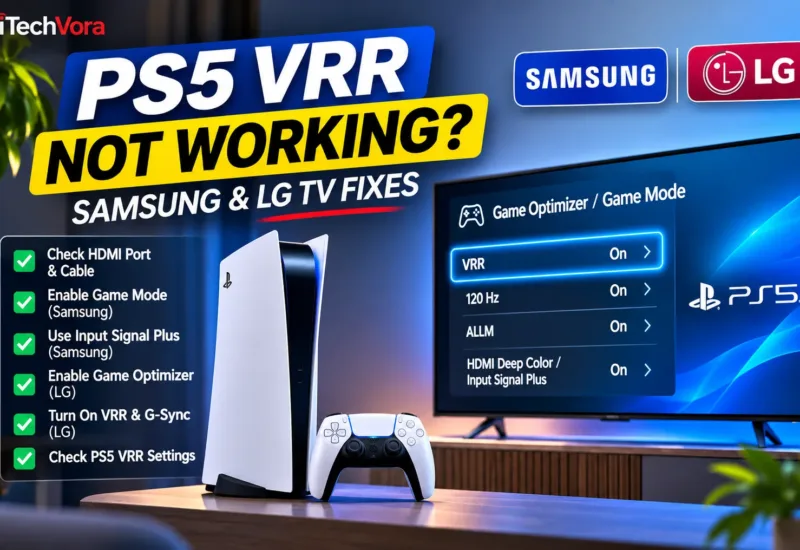
What matters more is having a television with capable HDR reproduction, low input lag, responsive Game Mode and appropriate 4K 120Hz and VRR support.
These capabilities solve different problems. HDR improves the available brightness and colour range, while refresh rate and VRR concern motion and frame delivery.
For a closer look at how refresh rates affect console gaming, read our 60Hz vs 120Hz TV for PS5 guide
Xbox Series X and Series S
Xbox Series X and Series S support Dolby Vision gaming on compatible televisions.
That can make Dolby Vision a more meaningful feature for Xbox buyers, particularly when they regularly play supported games.
Nevertheless, not every Dolby Vision television handles the format with identical gaming capabilities. Some models have limitations involving refresh rate, latency or the simultaneous use of gaming features.
I would check Dolby Vision gaming at the exact resolution and refresh rate intended before purchasing.
What About HDR10+ Gaming?
HDR10+ Gaming is another technology to watch, particularly in compatible PC gaming setups and displays.
It should not be confused with ordinary HDR10+ movie playback.
Support for HDR10+ streaming does not automatically establish that a television, game and graphics system can use HDR10+ Gaming together.
For gaming, actual device compatibility remains more useful than simply counting supported HDR logos.
What Changed in 2026? Dolby Vision 2 and HDR10+ Advanced
The HDR standards are continuing to evolve.
Two developments are particularly relevant when researching premium televisions in 2026.
Dolby Vision 2 began reaching select 2026 Hisense televisions in August. Its updated processing framework includes Content Intelligence and additional image-adjustment controls. Dolby Vision 2 Max adds capabilities intended for more advanced televisions.
HDR10+ Advanced also reached the market in 2026, with Samsung and Prime Video introducing supported playback. It extends the HDR10+ framework with additional brightness optimisation and motion-processing metadata, among other enhancements.
These are newer technology generations rather than replacements for every existing HDR implementation.
Compatibility remains model-dependent, and the availability of supported content is still an important consideration.
I would not postpone a worthwhile television purchase solely to wait for wider adoption of either format.
Which HDR Format Should You Prioritise When Buying a TV in India?
The sensible choice depends on the type of television and how you plan to use it.
| Buyer type | What to prioritise |
|---|---|
| Budget 4K TV buyer | Actual brightness, contrast, backlighting and reliable HDR10 |
| Movie enthusiast | Strong picture quality plus Dolby Vision or HDR10+ compatibility |
| Frequent streaming viewer | Formats supported by preferred apps and devices |
| Samsung TV buyer | HDR10+ support and overall panel performance |
| PS5 gamer | HDR10 performance, low input lag, 4K 120Hz and VRR where needed |
| Xbox gamer | Dolby Vision gaming compatibility alongside gaming performance |
| Premium home-theatre buyer | High-quality tone mapping, accurate picture modes and broad format support |
A television supporting both Dolby Vision and HDR10+ is an attractive option because it provides greater flexibility across content services.
However, format compatibility alone shouldn’t override a meaningful difference in picture quality, price or long-term reliability.
For example, an affordable television supporting both dynamic formats may still be less satisfying than a well-performing premium display that supports only one.
I would compare equivalent screen sizes, check credible independent measurements and consider the viewing environment before making a decision.
How to Check Which HDR Format Your TV Is Actually Playing
A television’s specifications tell you which formats it can support. They don’t always tell you what is being displayed at a particular moment.
To check the active HDR format:
- Play a title confirmed to support HDR on your chosen service.
- Open the television’s picture information or playback information screen, if available.
- Look for an active HDR10, HDR10+ or Dolby Vision indicator.
- If using a streaming box or console, check its video-output settings and supported display capabilities.
- Ensure the relevant HDMI input supports the required enhanced video mode.
- Check that the television, streaming app and external device are running compatible software.
Some televisions identify Dolby Vision through a dedicated picture mode. Others show an HDR format notification when playback begins.
If your equipment reports HDR10 instead of Dolby Vision or HDR10+, that does not automatically indicate a fault.
The title may be available only in HDR10 on your device, or one component in the playback chain may not support the advanced format.
Frequently Asked Questions
Is Dolby Vision Better Than HDR10+?
Dolby Vision includes a broader set of mastering and processing tools, but that does not guarantee better visible results than HDR10+ on every television or with every title. Hardware quality, content mastering and tone mapping remain important.
Is HDR10+ Better Than Normal HDR10?
HDR10+ adds dynamic metadata, which can help compatible displays adapt demanding HDR scenes more precisely. The improvement is not equally noticeable across every television and programme.
Can a Samsung TV Play Dolby Vision Movies?
Samsung TVs that lack Dolby Vision decoding cannot display the Dolby Vision version of a title. Compatible streaming services may provide an alternative HDR10+ or HDR10 stream, depending on the content and playback device.
Does Dolby Vision Require an OLED TV?
No. Dolby Vision is supported by compatible LCD, Mini LED, OLED and other display technologies. The format does not require one particular panel architecture.
Is Dolby Vision the Same as Dolby Atmos?
No. Dolby Vision concerns HDR video and picture presentation. Dolby Atmos is an audio technology. A television may support either, both or neither.
Final Verdict: Better HDR Comes From More Than One Standard
HDR10, HDR10+ and Dolby Vision each serve a useful role in modern television viewing.
HDR10 provides a widely supported foundation. HDR10+ adds dynamic metadata through an open standard, while Dolby Vision offers additional tools for creators and compatible playback systems.
For a premium streaming-focused television, I would favour broad HDR compatibility when the picture quality and price are otherwise competitive.
But I would not sacrifice a substantially better display merely to gain another HDR format.
The clearest buying approach is to check the television’s actual HDR performance first, then determine whether it supports the formats used by your preferred movies, streaming services and gaming devices.
A good HDR experience begins with a capable screen. The format helps that screen make the most of the content.
Trusted Sources
- Dolby — The Difference Between HDR10 and Dolby Vision
https://www.dolby.com/experience/home-entertainment/articles/the-difference-between-hdr10-and-dolby-vision/ - HDR10+ Technologies — Official HDR10+ Information
https://hdr10plus.org/ - Apple Developer — An Introduction to HDR Video
https://developer.apple.com/videos/play/tech-talks/502/ - Netflix Technology Blog — HDR10+ Now Streaming on Netflix
https://netflixtechblog.com/hdr10-now-streaming-on-netflix-c9ab1f4bd72b - Netflix Technology Blog — AV1 Now Powering 30% of Netflix Streaming
https://netflixtechblog.com/av1-now-powering-30-of-netflix-streaming-02f592242d80 - Apple Support — About 4K, HDR, HDR10+ and Dolby Vision on Apple TV 4K
https://support.apple.com/en-ie/102339 - PlayStation Support — How to Enable HDR on PS5
https://www.playstation.com/en-au/support/hardware/ps5-enable-adjust-hdr/ - Xbox Wire — Dolby Vision Gaming on Xbox Series X|S
https://news.xbox.com/en-us/2021/09/28/dolby-vision-gaming-now-available-on-xbox-series-x-s/ - Dolby Laboratories — Dolby Vision 2 Arrives on Hisense TVs
https://investor.dolby.com/news-events/financial-news/news-details/2026/Dolby-Vision-2-Arrives-Bringing-Dolbys-Most-Advanced-Picture-Experience-Yet-to-Hisense-TVs/default.aspx - Samsung Global Newsroom — HDR10+ Advanced on Prime Video
https://news.samsung.com/global/samsung-launches-worlds-first-hdr10-advanced-streaming-experience-on-prime-video - RTINGS — HDR10 vs HDR10+ vs Dolby Vision Technical Comparison
https://www.rtings.com/tv/learn/hdr10-vs-dolby-vision
Report an issue with this article
Spotted outdated information or a broken link? The article URL is included automatically. Reports are private. Please do not include sensitive personal information.
Contact us at itechvora@gmail.com with the article link.