
A television with a 120Hz refresh rate sounds like the obvious choice for PlayStation 5 gaming. It can display more frames, respond more quickly to new images and unlock gaming modes that a standard 60Hz TV cannot handle.
But there’s a detail I think many buyers overlook: owning a PS5 doesn’t automatically mean you need a 120Hz television.
Some games can take advantage of 120fps output. Others are designed around 30fps or 60fps, where a higher refresh rate may make a much smaller difference. And if upgrading to 120Hz means sacrificing better contrast, HDR performance or a larger screen, the decision becomes more complicated.
So, is a 120Hz TV genuinely worth the extra money for PS5 gaming? The answer depends more on what you play than on the console itself.
Quick Verdict: Should You Buy a 60Hz or 120Hz TV for PS5?
Buy a 120Hz TV if you regularly play competitive shooters, racing games or supported titles with high-frame-rate modes. It is also a worthwhile choice if you want access to 40fps balanced modes, variable refresh rate (VRR) and greater flexibility for future gaming.
A 60Hz TV is still a sensible choice if you mainly enjoy story-driven adventures, casual games and cinematic experiences running at 30fps or 60fps.
I would prioritise a good 4K 120Hz television when the budget allows. However, I wouldn’t choose a poor-quality 120Hz panel over a significantly better 60Hz model purely for the refresh-rate specification.
60Hz vs 120Hz TV: What’s the Actual Difference?
A television’s refresh rate describes how often its screen can update the displayed image every second.
A 60Hz panel refreshes up to 60 times per second, while a 120Hz panel can refresh up to 120 times.
| Feature | 60Hz TV | 120Hz TV |
|---|---|---|
| Maximum native refresh rate | 60Hz | 120Hz |
| Time between refreshes | 16.67ms | 8.33ms |
| Display 60fps games | Yes | Yes |
| Display 120fps games at 120fps | No | Yes, when supported |
| 40fps mode requiring 120Hz output | Generally unavailable | Supported on compatible setups |
| VRR | Model-dependent | Model-dependent |
| 4K 120Hz PS5 output | No | Yes, with compatible HDMI input |
| Best suited for | Casual, cinematic and budget gaming | High-frame-rate and flexible gaming |
The difference between 16.67ms and 8.33ms may appear small. In fast-moving games, however, displaying a new frame sooner can make movement appear more continuous and controls feel more immediate.
That doesn’t mean a 120Hz TV automatically makes every game twice as smooth.
The game must generate enough unique frames for the display to show them.
Does PS5 Actually Support 120Hz and 120fps Gaming?
Yes. Sony officially supports 4K 120Hz video output on PS5 consoles.
However, a game’s frame rate and the television’s refresh rate are not interchangeable.
A TV can refresh at 120Hz while the game produces only 60 unique frames per second. In that situation, the television doesn’t magically generate another 60 genuinely rendered frames.
Consider three common situations.
Playing a Game at 30fps
A 30fps game generates a new frame approximately every 33.33ms.
Moving from a 60Hz TV to a 120Hz television doesn’t automatically turn that experience into 60fps or 120fps gameplay.
The motion may look broadly similar, although differences in pixel response, display processing and frame presentation can still affect how it appears.
Playing a Game at 60fps
At 60fps, a new game frame arrives approximately every 16.67ms.
Both 60Hz and 120Hz televisions can display all 60 unique frames each second.
This is why a good 60Hz TV with low input lag can still feel excellent when playing many PS5 games.
A 120Hz panel may have advantages in particular operating modes, but the refresh-rate number alone does not guarantee a major improvement for a fixed 60fps game.
Playing a Game at 120fps
This is where the higher refresh rate becomes much more interesting.
When a game renders 120 frames per second and the TV accepts a 120Hz signal, new frames can arrive approximately every 8.33ms.
Fast camera movements, rapid aiming and tracking moving objects can feel noticeably smoother.
For example, Fortnite supports a 120 FPS mode on compatible PS5 displays. That makes the difference between 60Hz and 120Hz relevant to the actual gameplay rather than simply a specification on the television’s box.
Why 120Hz Matters Beyond Competitive Games
I think one of the most overlooked advantages of a 120Hz TV is its usefulness in games targeting 40fps.
Traditionally, console games have frequently offered a choice between two approaches:
- A quality mode prioritising image detail, often targeting 30fps.
- A performance mode prioritising smoothness, commonly targeting 60fps.
Some PS5 games also introduce a balanced mode between these two options.
Take Assassin’s Creed Shadows. Ubisoft’s published PS5 configurations include a 40fps Balanced mode that requires a compatible 120Hz display and HDMI 2.1 connection.
Why does this work?
On a 120Hz screen, every frame produced at 40fps occupies three consecutive refresh cycles, allowing the game to maintain consistent frame timing. A conventional fixed 60Hz output cannot divide 40fps evenly in the same way.
A frame lasts approximately 25ms at 40fps, compared with 33.33ms at 30fps.
That improvement doesn’t make 40fps equivalent to 60fps, but it can provide a useful compromise between visual detail and responsiveness.
For someone who prefers cinematic single-player games, this might be a stronger argument for buying a 120Hz TV than competitive gaming.
Is 120Hz Better for Input Lag and Response Time?
Often, yes, but these terms need to be understood separately.
Input lag is the delay between a signal arriving from your console and its effect appearing on the screen.
Pixel response time describes how quickly pixels change between colours or brightness levels.
A faster refresh rate creates more opportunities to display a new frame, potentially reducing display latency.
RTINGS measures input lag at both 4K 60Hz and 4K 120Hz, as a television’s latency can change depending on the refresh rate being used.
But higher refresh rate doesn’t automatically mean excellent responsiveness.
A poorly optimised 120Hz television can still feel sluggish, particularly outside Game Mode.
Similarly, a fast OLED panel and a slower LCD panel may show different levels of motion blur even when both operate at 120Hz.
I would pay attention to verified input-lag measurements, pixel response behaviour and Game Mode performance rather than assuming every 120Hz TV performs alike.
VRR and ALLM: Two Features PS5 Buyers Should Understand
Refresh rate is important, but it isn’t the only technology affecting how smoothly a game appears.
VRR Helps When Frame Rates Fluctuate
Variable Refresh Rate allows a compatible television to adjust its refresh timing to match the frames delivered by the console.
If a game’s frame rate varies during demanding scenes, VRR can help reduce visible tearing and certain types of stutter.
This is particularly useful when performance isn’t perfectly consistent.
However, VRR support varies between televisions. A 120Hz label alone doesn’t confirm that a TV supports the VRR functionality required by PS5.
ALLM Helps Keep Input Lag Low
Auto Low Latency Mode allows compatible televisions to switch automatically to a low-latency picture mode when gaming.
You don’t necessarily need to navigate through picture settings every time you start playing.
ALLM doesn’t increase a game’s frame rate, and it isn’t a substitute for 120Hz support.
VRR and ALLM serve separate purposes: VRR adjusts the display’s refresh timing, while ALLM automatically activates a low-latency picture mode.
For a new PS5 television, I would look for native 120Hz, compatible VRR and ALLM together.
Does HDMI 2.1 Matter for a 120Hz PS5 TV?
Yes, particularly if your goal is gaming at 4K 120Hz.
Sony confirms that PS5 supports HDMI 2.1 and 4K 120Hz output, but there is an important distinction between seeing HDMI 2.1 in a specification list and verifying what the television actually accepts.
Not every HDMI port on a television necessarily offers identical functionality.
Before buying, check:
- Whether the panel supports native 120Hz at 4K.
- Which HDMI inputs accept a 4K 120Hz signal.
- Whether compatible VRR and ALLM are available.
- How many full-featured gaming inputs are provided.
- Whether one of those inputs is also used for eARC audio.
- Whether the TV requires an enhanced HDMI signal setting.
The number of suitable ports becomes especially important if you plan to connect a PS5, Xbox or gaming PC alongside a soundbar.
Also be cautious about advertised technologies such as motion-rate enhancements or special gaming accelerators.
A TV promoted with a 120Hz gaming mode may achieve that output only at a reduced resolution or through a technique that doesn’t provide full native 4K 120Hz performance.
For PS5, look for explicitly confirmed 3840 × 2160 at 120Hz input support, not just a large refresh-rate number.
Does a 120Hz TV Make Games Look Better?
Not necessarily.
Refresh rate primarily influences motion presentation. A higher refresh rate doesn’t automatically improve contrast, screen brightness, colour reproduction or the quality of HDR images.
Imagine choosing between an entry-level 120Hz LCD and a better-performing 60Hz television with stronger contrast and HDR reproduction.
If you mainly play 30fps and 60fps cinematic games, the better picture quality could matter more than the additional refresh-rate capability.
On the other hand, someone who plays competitive games every evening may reasonably prioritise motion and responsiveness.
Panel technology also matters. OLED televisions can have exceptionally fast pixel transitions, while Mini LED LCD TVs can offer impressive brightness and local dimming, depending on their design and processing.
Our OLED vs QLED vs Mini LED TV comparison explains these display technologies and the trade-offs involved.
I wouldn’t judge any gaming TV on refresh rate alone. A genuinely good PS5 display needs to balance motion, image quality, connectivity and price.
How to Enable 120Hz Output on PS5
If you already own a compatible television, the first step is making sure the console can recognise its capabilities.
- Connect the PS5 directly to a compatible 4K 120Hz HDMI input using the supplied HDMI cable or an appropriate certified Ultra High Speed HDMI cable.
- Open Settings → Screen and Video → Video Output on your PS5.
- Set Resolution to Automatic, or select 2160p if appropriate.
- Set 120 Hz Output to Automatic.
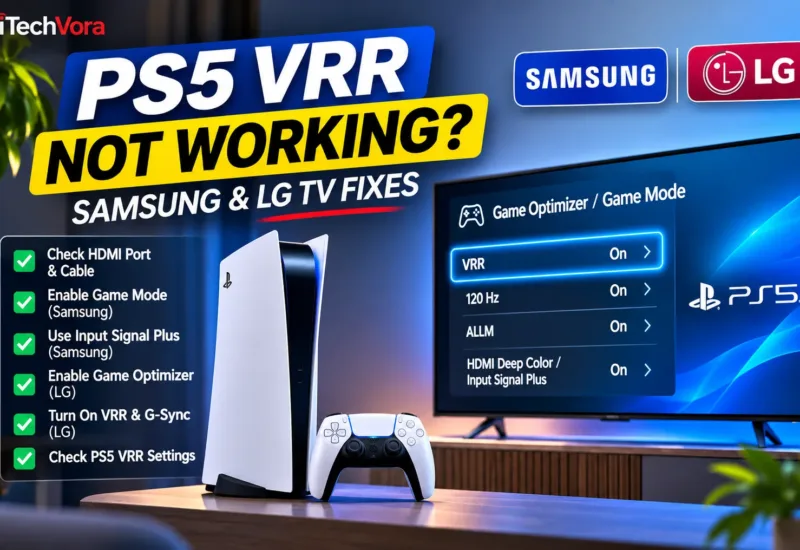
- Enable VRR where supported, and review the ALLM setting.
- Open the information for the connected HDMI device to check the capabilities detected by the console.
- Launch a game that supports 120fps and enable its high-frame-rate or performance setting, if required.
Your TV may also require an enhanced HDMI input mode or a gaming-specific setting.
Setting your PS5 to allow 120Hz output doesn’t mean every game will deliver 120 frames per second. Actual performance depends on the game and its supported graphics modes.
If the PS5 reports only 60Hz support, check the HDMI port, cable, TV firmware and television input settings. Sony also recommends checking whether an AV receiver or another device in the connection path is limiting the signal.
60Hz vs 120Hz TV in India: Which One Makes More Sense for Your Budget?
For Indian buyers, I would make this decision based on the overall television budget rather than setting an arbitrary minimum price.
Choose a 60Hz TV If…
Your PS5 is primarily used for story-driven games, occasional multiplayer sessions and general entertainment.
A good 4K 60Hz TV with responsive Game Mode, respectable contrast and useful HDR performance can be a better purchase than a low-quality 120Hz television.
This is particularly relevant when the budget is tight or buying a larger screen is more important.
Choose a 120Hz TV If…
You regularly play games offering 120fps modes, want access to compatible 40fps options, or intend to keep the television for several years.
A well-implemented 4K 120Hz television with VRR and ALLM provides greater flexibility across different games and gaming systems.
It becomes particularly attractive when the additional cost over a comparable 60Hz model is reasonable.
Don’t Forget Screen Size
If your budget forces you to choose between a smaller 120Hz screen and a larger 60Hz screen, consider your viewing distance as well.
A larger image can make a substantial difference when playing from a sofa across the room.
Our 43 vs 55 vs 65-inch TV size guide explores how screen dimensions affect a typical room.
You can also try the iTechVora TV Viewing Distance Calculator or use the Screen Size Comparison Tool to understand the physical differences before buying.
Frequently Asked Questions
Can I Play PS5 Games on a 60Hz TV?
Yes. A 60Hz television works perfectly well with PS5 for supported output modes up to 60Hz. You can still enjoy 4K games, HDR where supported and normal 30fps or 60fps gameplay.
Do All PS5 Games Support 120fps?
No. Support depends on the individual game and its available graphics modes. Some games target 30fps or 60fps, while others provide optional 120fps performance modes.
Is a 144Hz TV Better Than a 120Hz TV for PS5?
Not simply because it supports 144Hz. PS5’s relevant high-refresh gaming output is 120Hz. A 144Hz television can be useful for compatible PC gaming, but for PS5 the quality of its 4K 120Hz implementation, VRR and input lag matters more.
Is 120Hz Worth It for Watching Netflix and Movies?
Usually, refresh rate is less important for movies than it is for high-frame-rate gaming. A native 120Hz display can show 24fps films with even frame repetition, but picture processing, contrast, HDR and panel performance are often more important buying factors for streaming.
Final Verdict: Is a 120Hz TV Worth Buying for PS5?
If I were buying a television today with PS5 gaming as a major priority, I would strongly prefer a genuine 4K 120Hz model with reliable VRR, ALLM and low input lag.
The benefit isn’t limited to games running at 120fps. Games supporting 40fps modes can offer a useful middle ground, preserving more visual detail than some performance modes while feeling smoother than traditional 30fps gameplay.
However, I wouldn’t pay a large premium for 120Hz at the expense of everything else.
A high-quality 60Hz TV is better than a disappointing 120Hz TV. But when picture quality, screen size and pricing are reasonably comparable, 120Hz is the more versatile long-term choice for PS5 gaming.
Trusted Sources
- Sony PlayStation — Official Guide to PS5 4K Resolution, 120Hz Output, VRR and ALLM
https://www.playstation.com/en-in/support/hardware/ps5-4k-resolution-guide/ - HDMI Licensing Administrator — HDMI 2.1b Specification
https://www.hdmi.org/spec/hdmi2_1/index.aspx - RTINGS — What Is Refresh Rate? 60Hz vs 120Hz
https://www.rtings.com/tv/learn/what-is-the-refresh-rate-60hz-vs-120hz - RTINGS — TV Input Lag Testing Methodology
https://www.rtings.com/tv/tests/inputs/input-lag - PlayStation Blog / Ubisoft — Assassin’s Creed Shadows Graphics Modes
https://blog.playstation.com/2025/03/06/assassins-creed-shadows-20-minutes-of-new-castle-gameplay-launches-march-20/ - Epic Games — How to Enable 120 FPS in Fortnite on PS5
https://www.epicgames.com/help/c-34254770/a12710223
Report an issue with this article
Spotted outdated information or a broken link? The article URL is included automatically. Reports are private. Please do not include sensitive personal information.
Contact us at itechvora@gmail.com with the article link.