What would you actually do with 192GB of RAM in a laptop?
For most people, that amount of memory would sit largely unused. For an AI developer running large language models locally, an engineer dealing with complex simulations, or a researcher working with demanding datasets, it could change the kind of work they can perform away from a desktop.
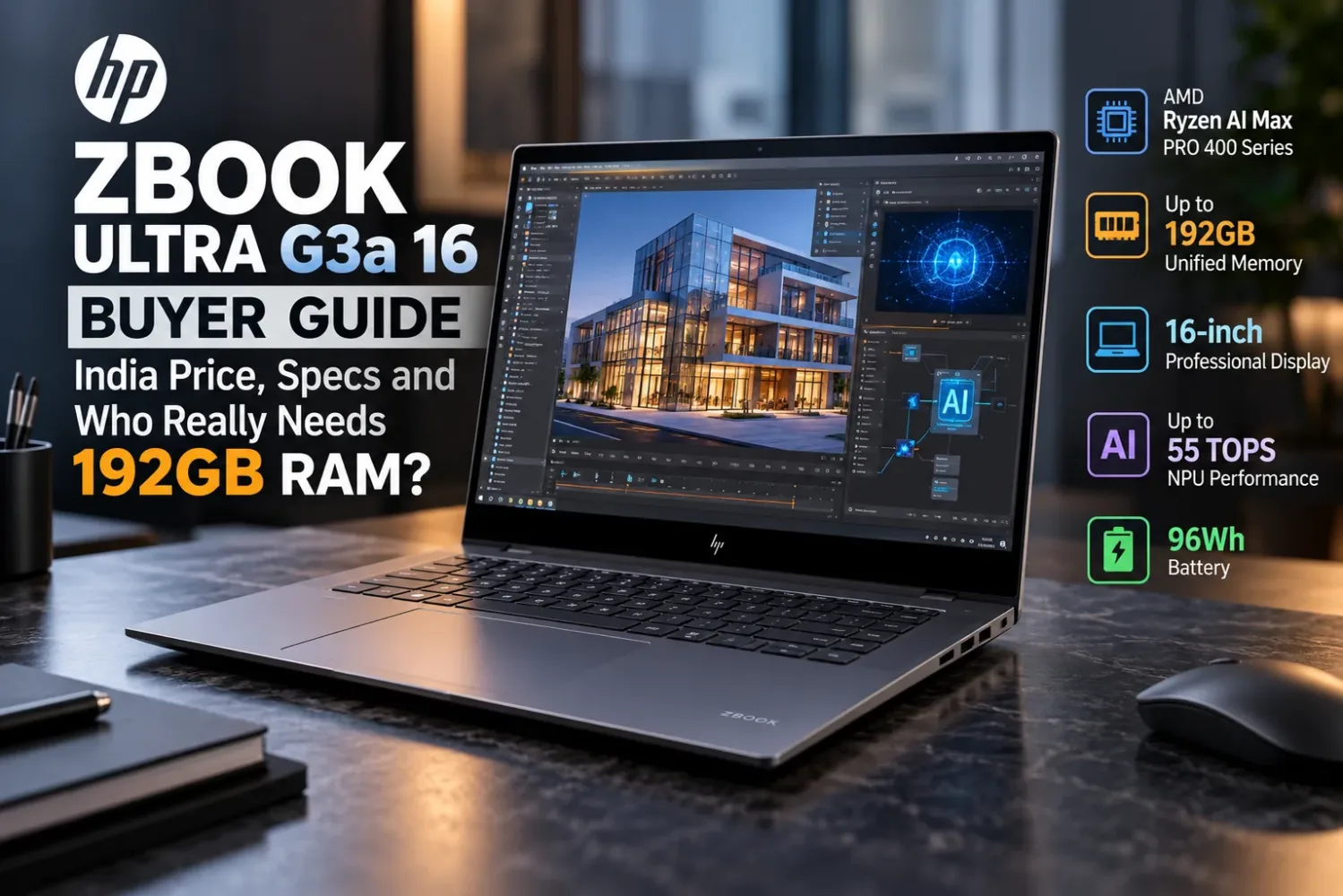
That is the proposition behind the HP ZBook Ultra G3a 16, a professional mobile workstation launched in India on October 14, 2026.
The new ZBook combines AMD’s Ryzen AI Max PRO 400-series processors, integrated Radeon graphics and up to 192GB of unified memory inside a 16-inch aluminium laptop. HP is also emphasizing improved cooling and AI tools designed to work with professional applications.
The reported starting price is ₹2,89,990, excluding taxes.
That price immediately raises an important question. Is the ZBook Ultra G3a genuinely useful for demanding professional work, or are its headline specifications impressive without being necessary for most buyers?
After examining HP’s documented configurations, I think the answer depends heavily on the applications you use—and which version of the laptop you actually purchase.
HP ZBook Ultra G3a: Quick Verdict
The ZBook Ultra G3a is best understood as a specialized workstation for AI development, engineering, data science and demanding creative work.
Its biggest advantage is the ability to combine substantial CPU resources, capable integrated graphics and an unusually large shared memory pool in one portable machine.
What stands out: Up to 192GB onboard memory, a 16-core Ryzen AI Max+ PRO processor, professional connectivity and a cooling system designed for sustained heavy workloads.
What needs consideration: A high entry price, non-upgradeable RAM, application compatibility and significant differences between configurations.
I would not choose this laptop simply because it carries an AI Workstation label. The real reason to buy it would be a workload that benefits from its particular memory architecture or professional platform features.
HP ZBook Ultra G3a India Price, Launch Date and Availability
HP announced the ZBook Ultra G3a internationally on September 15, 2026, and it reached India on October 14.
Indian launch reports place the starting price at ₹2,89,990 before taxes, with availability through HP’s authorized commercial sales channels and partners.
That is a premium price even before considering higher memory configurations.
There is an important qualification: the publicly reported starting price does not establish the price of the 192GB model. HP’s Indian product listings identify multiple versions, but the exact price of each listed configuration is not publicly confirmed in the material examined here.
For a business purchase, I would request a written quotation showing the full product number, installed memory, processor, display, warranty, GST and final payable amount.
Two verified Indian configurations illustrate why this matters.
HP ZBook Ultra G3a 32GB vs 192GB: Configuration Comparison
| Specification | E64YBAW | EC7E6PA |
|---|---|---|
| Processor | Ryzen AI Max PRO 485 | Ryzen AI Max+ PRO 495 |
| CPU cores/threads | 8 / 16 | 16 / 32 |
| Integrated graphics | Radeon 8050S | Radeon 8065S |
| RAM | 32GB LPDDR5x-8533 | 192GB LPDDR5x-9600 |
| Storage | 512GB PCIe Gen5 NVMe SSD | 1TB PCIe Gen5 NVMe SSD |
| Display | 16-inch WUXGA IPS | 16-inch WUXGA IPS |
| Advertised brightness | 400 nits | 400 nits |
| Colour coverage | 100% sRGB | 100% sRGB |
| Battery | 96Wh | 96Wh |
| OS | Windows 11 Pro | Windows 11 Pro |
These are documented HP India configurations, not interchangeable specifications from a single laptop.
The distinction is substantial.
One configuration has 32GB of RAM and an eight-core processor. The other combines six times as much memory with a 16-core processor and a different integrated GPU.
For ordinary software development, 32GB may already be sufficient. For large local AI workloads, 192GB could make an entirely different category of project possible.
Neither version should be evaluated as though it were representative of every ZBook Ultra G3a.
Why 192GB Unified Memory Matters More Than the AI Label
The memory system is the most interesting part of this workstation.
Traditional high-performance laptops often use separate memory pools: system RAM for the CPU and dedicated video memory for a discrete GPU.
The ZBook Ultra G3a uses AMD integrated graphics that access shared system memory. In its highest configuration, HP supports up to 192GB of unified memory, with a potential allocation of up to 160GB for GPU workloads.
This creates an unusual advantage for certain local AI projects.
A large language model needs memory to store its weights, working context and intermediate data. If the model cannot fit into available accelerator memory, developers may need to use a smaller model, reduce precision, split workloads or turn to external computing resources.
A larger shared pool can reduce some of those restrictions.
HP says suitably configured ZBook Ultra G3a systems can run models containing up to 300 billion parameters locally.
That is a manufacturer capability claim, not an indication that every 300B model will run at a practical speed.
Model format, quantization, memory overhead, context length and software support make an enormous difference.
This is also where I would separate memory capacity from performance.
Having space for a model is one problem. Processing its calculations quickly is another.
A laptop with more memory may load a larger model than a conventional GPU laptop, yet still take longer to produce results in a particular workload.
For buyers considering 32GB, 64GB, 128GB or 192GB, our guide to choosing the right amount of laptop RAM explains why capacity should be determined by actual memory requirements rather than the largest available number.
One major limitation: the RAM cannot be upgraded
HP identifies the memory as onboard LPDDR5x.
The 32GB model has fixed onboard memory, so upgrading to 128GB or 192GB after purchase isn’t an option.
If your work is likely to require more capacity, the decision needs to be made before purchase.
For such an expensive workstation, I think this is one of the most important long-term ownership considerations.
Ryzen AI Max+ PRO 495: Understanding the Processor and GPU
At the top of the range sits AMD’s Ryzen AI Max+ PRO 495.
The processor uses AMD’s Zen 5 architecture, with 16 cores, 32 threads and a maximum boost clock of up to 5.2GHz. It also includes Radeon 8065S integrated graphics with 40 graphics compute units and an NPU rated at up to 55 TOPS.
The Indian 32GB model uses the Ryzen AI Max PRO 485 instead, pairing eight cores and 16 threads with Radeon 8050S graphics.
The difference is significant, but it would be a mistake to assume that twice as many CPU cores automatically means twice the performance.
Software builds, rendering, simulations and parallel workloads may benefit from additional cores. Lightly threaded applications and everyday tasks often behave differently.
What interests me more is how the laptop manages power during sustained work.
Is the integrated Radeon GPU enough?
For the intended workstation audience, the answer depends on the application.
Integrated Radeon graphics can be useful for professional visualization, multimedia processing and supported GPU-accelerated workloads.
But this is not a laptop with a dedicated NVIDIA RTX GPU and its own separate graphics memory.
That difference matters for people working in applications requiring CUDA.
AMD provides GPU computing software through ROCm and other compatible interfaces, but an existing CUDA-dependent project should not be expected to run unchanged.
Before purchasing, check your exact development framework, rendering engine, application plug-ins, driver requirements and operating system.
I would put software compatibility ahead of theoretical TOPS figures, particularly for organizations with established AI development workflows.
HP Has Reworked Cooling for Heavier Workloads
A workstation that handles demanding tasks for hours needs more than an impressive processor specification.
HP has changed the ZBook Ultra G3a’s thermal design, introducing a larger vapor chamber and a revised fan arrangement to support higher power operation.
According to HP, the system’s maximum thermal design power reaches 100W, compared with 55W for the previous ZBook Ultra G1a.
That represents an approximately 81.8% higher maximum power envelope.
However, a higher power envelope is not the same as an equivalent performance increase.
Cooling efficiency, processor behaviour, ambient temperature and application demands all affect sustained results.
The questions I would want independent testing to answer are straightforward.
Can the laptop maintain strong performance through long compile jobs or extended rendering? How much does performance change after prolonged operation? What happens to fan noise and surface temperatures?
Without comparable testing of the final retail configurations, I would not attach invented performance gains or thermal measurements to HP’s cooling claims.
The redesigned hardware is promising, but sustained performance remains something buyers should investigate for their specific workload.
Display Options: The 16-Inch Screen Comes in Different Versions
HP offers several display options across the ZBook Ultra G3a family.
These include a 2.8K OLED panel with up to 120Hz refresh rate, a 4K-class DreamColor display and a QHD NEO option in its global product information.
That range is useful because a developer, video editor and engineer may have very different display priorities.
Someone working in colour-sensitive production may value a professional display with verified gamut coverage and calibration. A programmer may prefer an anti-glare LCD that is comfortable for extended document and code work.
Here is the catch.
Both Indian configurations examined earlier—E64YBAW and EC7E6PA—list a 1920 × 1200 IPS anti-glare display with 400-nit advertised brightness and 100% sRGB coverage.
Even the documented 192GB model does not automatically come with OLED.
The IPS screen could be a practical choice for office and development work, but buyers expecting the flagship display shown in promotional materials should confirm the exact panel specification.
For anyone moving from a 14-inch workstation to a 16-inch model, our Screen Size Comparison tool can help visualize the change in physical screen area.
I would also check resolution, refresh rate and colour requirements independently rather than choosing a display solely from its technology label.
Battery and Charging: A 96Wh Battery Needs Real-World Context
HP equips the documented Indian configurations with a 96Wh lithium-ion polymer battery.
That is a substantial battery for a relatively compact professional laptop.
HP also specifies a 180W USB-C GaN power adapter and fast charging that can reach approximately 50% capacity in 30 minutes under supported conditions.
The large battery is welcome, but capacity alone cannot tell us how long this workstation will last unplugged.
An eight-core configuration with a WUXGA IPS panel may have different power requirements from a 16-core system running heavy graphics or local AI tasks.
Battery performance also depends on display brightness, background processes, power settings and the workload itself.
Battery-life estimates based on everyday productivity tasks tell us little about how long the laptop will last during demanding AI processing or extended rendering sessions.
For a more useful estimate, the iTechVora Laptop Battery Runtime Calculator allows readers to examine how battery energy and average power consumption affect unplugged operating time.
The 180W figure refers to the power adapter’s maximum rated output. The laptop’s actual power consumption changes depending on what it is doing.
Design, Portability, Keyboard and Connectivity
The ZBook Ultra G3a uses an Eclipse Grey aluminium chassis and weighs from approximately 1.9kg, depending on configuration.
Its published dimensions are 35.6 × 24.0 × 1.79cm.
That makes it reasonably portable for a 16-inch professional workstation, although it is not a particularly lightweight machine compared with smaller productivity laptops.
The adapter also contributes to the weight someone must carry when travelling.
For engineers and creators moving between an office, client site and home workspace, I think the larger screen and performance-oriented design may justify that compromise.
Ports and external displays
The EC7E6PA Indian specification lists:
- Two Thunderbolt 4 USB-C ports supporting 40Gbps, USB Power Delivery and DisplayPort 2.1
- One additional USB-C 10Gbps port with USB Power Delivery and DisplayPort 1.4
- One HDMI 2.1 port
- One USB-A 10Gbps port
- One SD card reader
- One 3.5mm audio combination jack
- One nano security-lock slot
That is a useful selection for connecting external storage, professional displays, card media and workstation accessories.
The important detail is that the USB-C connections do not all have identical capabilities.
I would also verify the exact external monitor arrangement required for a particular workstation setup rather than assuming every supported interface can drive any display combination.
Camera, keyboard and audio
The Indian specification includes a 5MP IR camera, a spill-resistant backlit keyboard, a glass ClickPad, four speakers with Poly Studio audio technology and two integrated digital microphones.
These are sensible professional features, but specifications do not establish webcam image quality, keyboard comfort or speaker performance.
Those judgments need genuine hands-on testing.
HP’s broader product materials also promote an easily replaceable keyboard, a useful consideration for organizations that maintain workstation fleets over several years.
Wireless connectivity on the selected Indian configuration includes a MediaTek Wi-Fi 7 adapter and Bluetooth 6.0.
HP offers 5G functionality in parts of the product range, but buyers should check their own product number for mobile broadband hardware and service compatibility.
HP ZBook Ultra G3a vs ZBook Ultra G1a: What Actually Changed?
The earlier ZBook Ultra G1a is a 14-inch workstation built around AMD’s Ryzen AI Max PRO 300-series platform.
It already supported substantial unified memory and professional AI workloads.
The G3a expands the concept rather than introducing it for the first time.
| Feature | ZBook Ultra G1a | ZBook Ultra G3a |
|---|---|---|
| Screen size | 14-inch | 16-inch |
| Processor generation | Ryzen AI Max PRO 300 series | Ryzen AI Max PRO 400 series |
| Maximum unified memory | 128GB | 192GB |
| HP-quoted maximum TDP | 55W | 100W |
| Starting weight | Approximately 1.5kg | Approximately 1.9kg |
| Main advantage | Compact workstation design | Larger workspace and memory ceiling |
The new laptop is larger and heavier, but it also provides more display area and additional headroom for demanding workloads.
For an existing G1a owner, I would only consider upgrading if the larger memory capacity, improved sustained power potential or 16-inch display addresses a real limitation.
An upgrade becomes much harder to justify when the previous machine is already handling the required applications comfortably.
HP ZBook Ultra G3a vs an NVIDIA RTX Workstation
There is no single obvious winner between the ZBook Ultra G3a and a similarly priced workstation with dedicated NVIDIA RTX graphics.
They approach professional workloads differently.
The HP prioritizes large shared memory capacity through AMD’s integrated graphics platform.
An NVIDIA RTX workstation may provide an established CUDA environment, dedicated GPU memory and specific professional application advantages.
For AI developers already committed to CUDA-based frameworks, that software ecosystem could matter more than HP’s higher total memory ceiling.
For someone whose workload benefits from keeping unusually large models in shared local memory, the ZBook’s architecture may be attractive.
The broader differences between modern AI platforms are also explored in our NVIDIA RTX Spark vs Apple M5 Pro comparison.
I would choose based on application support, memory requirements and verified performance—not the processor or graphics branding alone.
Which HP ZBook Ultra G3a Configuration Should You Buy?
This is where the buying decision becomes more interesting than the specifications.
Choose the 32GB configuration if your workload is predictable
The Ryzen AI Max PRO 485 version may be adequate for professional office use, conventional development, many CAD projects and development environments that do not require unusually large memory pools.
Given its reported starting price, I would also look at competing business and workstation laptops before deciding whether the ZBook offers enough value.
The ZBook name alone does not justify a premium when a less expensive machine can perform the same work.
Consider a higher-memory configuration for demanding development
Extra RAM becomes particularly useful when developers run multiple virtual machines, work with large software projects or manage several containers simultaneously. Complex creative workflows can benefit from that additional capacity, too.
A suitable 64GB or 128GB configuration may be more economical than the 192GB maximum, where officially available.
But the fixed onboard memory makes it important to estimate future needs before ordering.
Choose 192GB only when you know why you need it
The Ryzen AI Max+ PRO 495 configuration with 192GB memory is the more unusual machine.
It is aimed at buyers who can identify large local AI models, exceptionally memory-intensive simulations or concurrent professional workloads that require this capacity.
I would not pay the premium for 192GB simply to obtain the highest specification.
I would first identify the actual model size, memory requirement, software framework and acceptable processing speed.
If a workload comfortably fits in 32GB or 64GB, the additional capacity may provide relatively little immediate benefit.
Who Should Buy the HP ZBook Ultra G3a?
AI developers and researchers: Potentially a strong fit when their models, frameworks and data requirements benefit from unusually large shared memory.
Engineers and architects: Worth considering for supported CAD, design, visualization and simulation applications, particularly when mobility matters.
Professional creators: Interesting for complex projects, but the exact display and application acceleration support should be checked first.
Software developers: Useful for exceptionally demanding environments, although many ordinary development workflows do not need workstation-class memory.
Students and mainstream buyers: Difficult to justify when considerably less expensive laptops can handle study, browsing, everyday programming and general productivity.
Gamers: Not my first recommendation for someone whose main priority is gaming. A dedicated gaming laptop should be evaluated instead using actual game benchmarks, graphics power and cooling performance.
Final Verdict: The Right Workstation for a Specific Problem
The HP ZBook Ultra G3a is not trying to be an ordinary premium laptop.
Its strongest proposition is providing substantial local computing capability, a large shared memory pool and professional connectivity without requiring a fixed desktop workstation.
The maximum 192GB memory configuration stands out, but that capacity only becomes valuable when the buyer’s workload genuinely needs it.
I also think HP deserves attention for addressing sustained power and thermal design rather than concentrating solely on short benchmark numbers.
Still, several questions need careful answers before spending this much: which configuration is being sold, whether its software stack supports the intended workloads, how much RAM will actually be used and what the total India purchase price will be.
For AI researchers and professional teams, the ZBook Ultra G3a could be a compelling specialist tool.
For everyone else, the more sensible decision may be to buy a less expensive laptop and invest the remaining budget in the hardware or services their work actually requires.
My recommendation is simple: buy the ZBook Ultra G3a for a proven workflow requirement, not for the largest numbers on its specification sheet.
HP ZBook Ultra G3a 16 inch Mobile Workstation PC (EC7E6PA)
A specialized 16-inch workstation for local AI development, engineering and intensive professional workflows. Its 192GB unified memory and Ryzen AI Max+ PRO 495 processor stand out, but high pricing, fixed RAM and software compatibility make configuration planning essential.
How we tested
Research-based product assessment; no iTechVora hands-on testing conducted. This assessment draws on official manufacturer specifications and appropriately credited independent research. iTechVora has not conducted hands-on testing of this laptop.
What we like
- 192GB LPDDR5x unified memory for demanding workloads
- Ryzen AI Max+ PRO 495 with 16 cores and 32 threads
- Radeon 8065S integrated graphics
- Large 16-inch display and 96Wh battery
- Two Thunderbolt 4 ports and HDMI 2.1
- Wi-Fi 7 and Bluetooth 6.0
- 180W USB-C GaN power adapter
- Professional security and service features
What to consider
- Premium pricing; exact 192GB India price not verified
- Onboard RAM cannot be upgraded
- The EC7E6PA has a WUXGA IPS display, not OLED
- Integrated Radeon graphics are not a drop-in CUDA replacement
- Actual AI and rendering performance require configuration-specific testing
- Storage expansion and SSD service procedure should be verified
- At approximately 1.9kg before the charger, portability has limits
Key specifications
| Brand | HP |
|---|---|
| Model | ZBook Ultra G3a 16 (EC7E6PA) |
| Laptop Type | Mobile Workstation |
| Operating System | Windows 11 Pro |
| Processor | AMD Ryzen AI Max+ PRO 495 |
| CPU Cores / Threads | 16 Cores / 32 Threads |
| Max Boost Clock | Up to 5.2GHz |
| CPU Architecture | AMD Zen 5 |
| Graphics | AMD Radeon 8065S Integrated |
| NPU | Up to 55 TOPS |
| RAM | 192GB LPDDR5x-9600 |
| RAM Upgradeable | No, onboard memory |
| Storage | 1TB PCIe Gen5 NVMe SSD |
| Display | 16-inch WUXGA IPS |
| Resolution | 1920 x 1200 |
| Aspect Ratio | 16:10 |
| Brightness | 400 nits (HP rated) |
| Colour Gamut | 100% sRGB |
| Battery | 96Wh, 6-cell Li-ion Polymer |
| Power Adapter | 180W USB-C GaN |
| Wi-Fi | MediaTek Wi-Fi 7 MT7925 |
| Bluetooth | 6.0 |
| Thunderbolt | 2 x Thunderbolt 4 |
| USB-C | 1 x USB-C 10Gbps |
| USB-A | 1 x USB-A 10Gbps |
| HDMI | HDMI 2.1 |
| Card Reader | SD Card Reader |
| Webcam | 5MP IR Camera |
| Audio | Quad Speakers, Poly Studio |
| Microphones | Dual Digital Microphones |
| Keyboard | Backlit, Spill-resistant |
| Touchpad | Glass ClickPad |
| Dimensions | 35.6 x 24.0 x 1.79 cm |
| Weight | Starting at 1.9kg |
| Warranty | 1 Year Limited, subject to terms |
| Processor | AMD Ryzen AI Max+ PRO 495, Ryzen AI Max PRO 400 Series, Zen 5 architecture, 16 cores, 32 threads, maximum boost clock up to 5.2GHz, 64MB L3 cache. |
| Graphics | Integrated AMD Radeon 8065S with 40 graphics compute units. No dedicated VRAM chip; the GPU uses shared system memory. Discrete GPU TGP, MUX switch and Advanced Optimus are not applicable. |
| Memory & storage | 192GB LPDDR5x-9600 MT/s onboard RAM; not user-upgradeable. Installed storage is a 1TB PCIe Gen5 NVMe M.2 SSD. Additional storage-slot availability and the precise replacement procedure are not verified here. |
| Display | 16-inch IPS anti-glare LCD, WUXGA 1920 × 1200, 16:10 aspect ratio, HP-rated 400-nit brightness and 100% sRGB coverage. Exact refresh rate is not verified for this SKU. |
| Battery & weight | 96Wh six-cell Li-ion polymer battery; 180W USB-C GaN power adapter; HP Fast Charge rated at approximately 50% in 30 minutes under supported conditions. Starting laptop weight approximately 1.9kg. No independently verified real-world battery runtime for this SKU. |
Side-by-side comparison
| Feature | G3a 32GB (E64YBAW) | G3a 192GB (EC7E6PA) |
|---|---|---|
| Processor | Ryzen AI Max PRO 485 | Ryzen AI Max+ PRO 495 |
| CPU Cores | 8 | 16 |
| CPU Threads | 16 | 32 |
| Graphics | Radeon 8050S | Radeon 8065S |
| Memory | 32GB LPDDR5x | 192GB LPDDR5x |
| Memory Speed | 8533 MT/s | 9600 MT/s |
| Storage | 512GB SSD | 1TB SSD |
| Display | 16-inch WUXGA IPS | 16-inch WUXGA IPS |
| Resolution | 1920 x 1200 | 1920 x 1200 |
| Battery | 96Wh | 96Wh |
| Operating System | Windows 11 Pro | Windows 11 Pro |
| Best For | General Workstation Tasks | Large AI Workloads |
| Exact India Price | Not verified | Not verified |
Our shortlist
| Best Laptops for Local AI Development | Large unified memory for compatible local models |
|---|---|
| Best Professional Workstation Laptops | Professional hardware and enterprise features |
| Best High-Memory Laptops | Available with up to 192GB onboard RAM |
| Best Laptops for AI Researchers | Suited to memory-intensive local inference |
| Best Laptops for Engineers | Designed for supported technical workloads |
Step by step
- No verified product-specific how-to steps available. Consult HP's maintenance and service documentation before attempting storage replacement, firmware changes or internal servicing.
Your questions, answered
How much does the HP ZBook Ultra G3a cost in India?
The reported starting price is ₹2,89,990 without taxes.
Is the HP ZBook Ultra G3a a laptop?
Yes, it is a 16-inch professional mobile workstation laptop.
Does the HP ZBook Ultra G3a support 192GB RAM?
Yes, selected configurations support up to 192GB unified memory.
Can its RAM be upgraded?
No, the onboard LPDDR5x memory is not user-upgradeable.
Does it have NVIDIA RTX graphics?
No, the configurations discussed use integrated AMD Radeon graphics.
What processor does the 192GB model use?
AMD Ryzen AI Max+ PRO 495 with 16 cores and 32 threads.
Does every model include OLED?
No, available configurations include IPS and optional premium display panels.
Can it run AI models locally?
Yes, compatible models can run locally, with performance depending on configuration and software.
Does it support Thunderbolt 4?
Yes, the documented configuration includes two Thunderbolt 4 ports.
Does it support Wi-Fi 7?
Yes, EC7E6PA lists MediaTek Wi-Fi 7 connectivity.
What is its battery capacity?
The documented configuration includes a 96Wh battery.
How much does it weigh?
HP specifies a starting weight of approximately 1.9kg.
Is it good for gaming?
It can run compatible games, but professional computing is its primary purpose.
Is it worth buying?
It makes sense for demanding professional workflows that benefit from its hardware.
Sources & further reading
Report an issue with this article
Spotted outdated information or a broken link? The article URL is included automatically. Reports are private. Please do not include sensitive personal information.
Contact us at itechvora@gmail.com with the article link.