Apple has introduced two MacBook Pro models within a day of each other, and choosing between them is not as straightforward as comparing their processor names.
The 14-inch MacBook Pro announced on October 27, 2026, uses Apple’s new M6 chip, but retains the familiar non-touch Liquid Retina XDR display. A day later, Apple unveiled a redesigned MacBook Pro with something Mac users have been waiting years to see: a touchscreen.
There is an interesting twist, though. The touchscreen model doesn’t use M6. Instead, Apple has equipped it with M5 Pro and M5 Max processors, along with a new tandem OLED display called PROLED XDR.
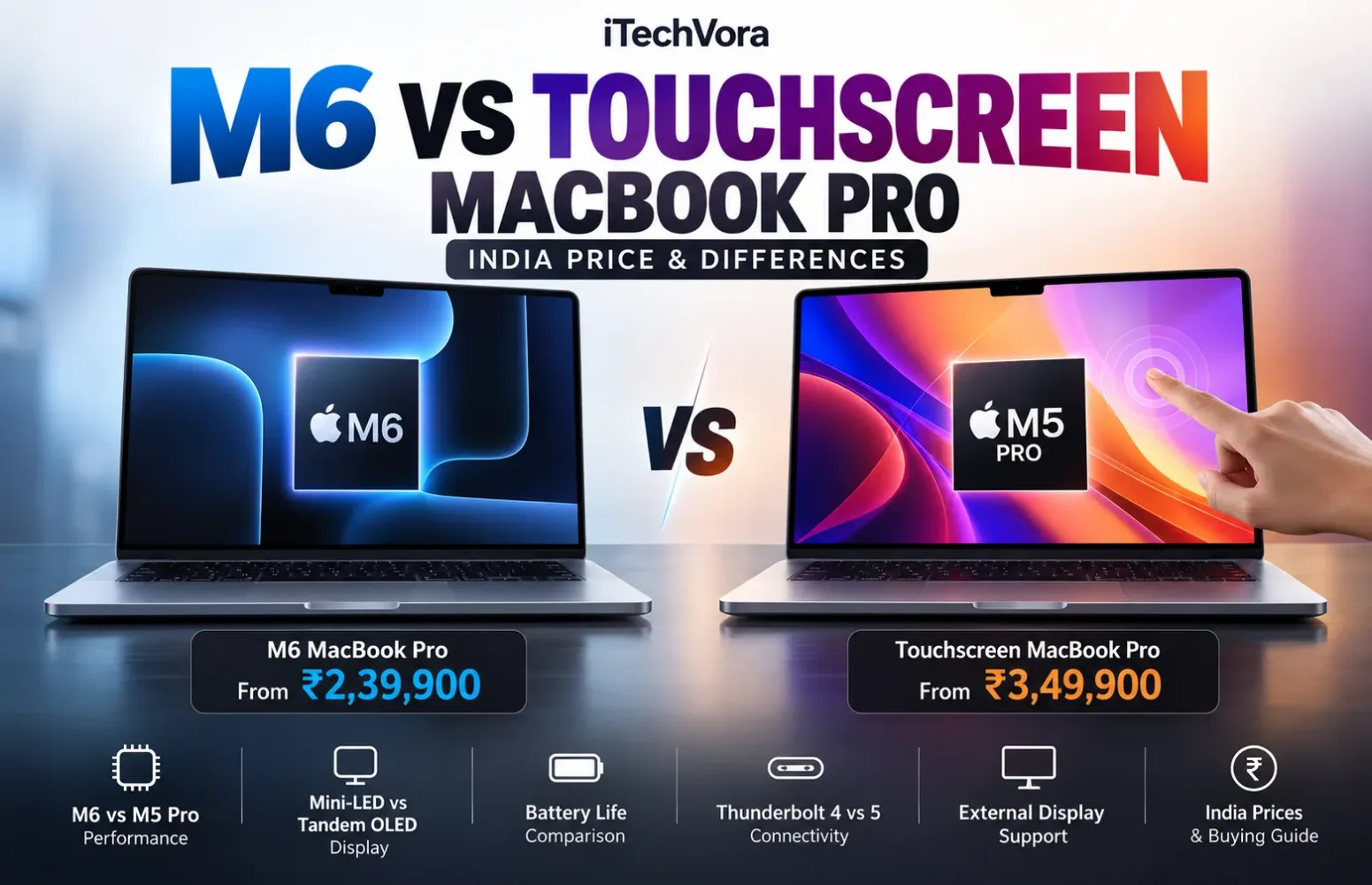
In India, the standard M6 MacBook Pro starts at ₹2,39,900, while the touchscreen model begins at ₹3,49,900. That is a difference of ₹1,10,000 before any additional configuration upgrades.
At these prices, I wouldn’t make a decision based on touchscreen support alone. The real question is whether the more expensive model offers enough advantages in performance, display quality, portability and connectivity to justify its premium.
M6 vs Touchscreen MacBook Pro: Which Is Better?
For buyers who need a capable laptop for software development, everyday productivity, photography or occasional video editing, the M6 MacBook Pro looks like the more reasonable starting point.
The touchscreen MacBook Pro targets a different kind of user. Its OLED display, M5 Pro and M5 Max processor options, lighter chassis and expanded connectivity make it particularly interesting for demanding creative and technical work.
What makes this comparison unusual is that the newer M6 chip sits in Apple’s less expensive model, while the more costly touchscreen machine uses higher-tier processors from the previous chip generation.
That doesn’t automatically make either one faster. A processor’s generation is only part of the story; its CPU and GPU configurations, memory bandwidth and the software being used matter just as much.
Quick takeaway: The M6 MacBook Pro is the more affordable choice for most professional users. The touchscreen model becomes worth considering when its OLED display, stronger hardware options or touch interactions would genuinely improve your work.
M6 vs Touchscreen MacBook Pro Specifications Compared
To keep the comparison fair, the table below focuses on the starting configurations of both 14-inch models. Higher-end touchscreen versions come with different CPU, GPU, memory and storage options.
| Specification | M6 MacBook Pro | Touchscreen MacBook Pro |
|---|---|---|
| Model | 14-inch MacBook Pro | 14-inch PROLED XDR |
| Processor | Apple M6 | Apple M5 Pro |
| CPU | 12 cores | 15 cores |
| GPU | 12 cores | 16 cores |
| Unified memory | 16GB | 24GB |
| Storage | 1TB SSD | 1TB SSD |
| Display size | 14.2 inches | 14.2 inches |
| Display technology | Mini-LED Liquid Retina XDR | Tandem OLED PROLED XDR |
| Resolution | 3024 × 1964 | 3024 × 1986 |
| Refresh rate | Adaptive up to 120Hz | Adaptive 10–120Hz |
| Touchscreen | No | Yes |
| Peak HDR brightness | Up to 1,600 nits | Up to 2,000 nits |
| Thunderbolt ports | 3 × Thunderbolt 4 | 3 × Thunderbolt 5 |
| External display support | Up to 2 | Up to 3 |
| Battery capacity | 72.4Wh | 72.6Wh |
| Weight | 1.55kg | 1.38kg |
| Starting price in India | ₹2,39,900 | ₹3,49,900 |
Source: Apple India technical specifications. Display brightness and battery-life figures are manufacturer specifications, not independent iTechVora measurements.
The difference goes beyond the display. The touchscreen model begins with more memory, a higher-tier processor and faster Thunderbolt connectivity.
However, those advantages come at a substantial cost, so the value depends on how buyers intend to use the laptop.
MacBook Pro M6 vs Touchscreen Model: India Prices and Availability
Apple has announced official Indian prices for both MacBook Pro families.
The 14-inch M6 MacBook Pro starts at ₹2,39,900 with 16GB unified memory and 1TB SSD storage.
The touchscreen MacBook Pro has a significantly higher entry price, and its M5 Pro and M5 Max configurations sit in different price brackets.
| MacBook Pro configuration | Starting price in India |
|---|---|
| 14-inch MacBook Pro M6 | ₹2,39,900 |
| 14-inch Touchscreen MacBook Pro M5 Pro | ₹3,49,900 |
| 16-inch Touchscreen MacBook Pro M5 Pro | ₹4,09,900 |
| 14-inch Touchscreen MacBook Pro M5 Max | ₹5,49,900 |
| 16-inch Touchscreen MacBook Pro M5 Max | ₹5,89,900 |
Apple also lists eligible education prices starting at ₹2,27,900 for the M6 model and ₹3,31,900 for the 14-inch touchscreen M5 Pro.
Both models became available for pre-order on October 28, 2026.
The standard M6 MacBook Pro is scheduled to become available on November 6, while Apple’s India online store lists November 9 for the touchscreen PROLED XDR models.
These are official starting prices. Upgraded configurations, additional storage and optional display finishes can increase the final amount.
Is the touchscreen worth ₹1.10 lakh extra?
I think that is the most useful question for anyone comparing the entry-level 14-inch configurations.
If Apple had offered the same processor, memory and storage with an optional touchscreen, the decision would have been simpler.
But the more expensive model also includes M5 Pro hardware, 24GB unified memory, a different display and a redesigned enclosure.
The price difference therefore represents several hardware changes rather than a touchscreen upgrade alone.
For buyers who simply want to scroll websites or tap applications, paying such a large premium would be difficult to justify. Creative professionals who can use the additional hardware have a more convincing reason to consider it.
M6 vs M5 Pro: Does the Newer Processor Mean Better Performance?
It is tempting to assume that M6 must be faster because it belongs to a newer generation.
That isn’t necessarily how Apple’s processor lineup works.
The standard M6 combines a 12-core CPU with a 12-core GPU. Its CPU includes two super cores, four performance cores and six efficiency cores.
Apple also includes GPU Neural Accelerators and a Dual 16-core Neural Engine for supported AI workloads.
The entry-level touchscreen MacBook Pro uses M5 Pro, with a 15-core CPU and 16-core GPU.
Higher M5 Pro configurations increase those figures to an 18-core CPU and 20-core GPU. Buyers who need more graphics resources can move to M5 Max, which offers GPU configurations with 32 or 40 cores.
Memory bandwidth could matter more than the chip name
The entry-level M6 model comes with 16GB of unified memory and delivers memory bandwidth of up to 153GB/s. The 24GB and 32GB M6 configurations increase that figure to 170GB/s.
M5 Pro supports 307GB/s, while the highest M5 Max configuration reaches 614GB/s.
These figures don’t directly tell us which laptop will compile an application faster or finish a video export first. They do, however, show that Apple’s higher-tier chips have substantially more memory bandwidth available for demanding workloads.
Consider a developer running a large codebase, multiple containers, databases and local AI tools.
The performance that matters in such a setup isn’t just how quickly the processor handles a short task. Memory capacity, sustained compute performance and application behaviour can determine how comfortable the entire workflow feels.
For lighter development projects and general professional use, I would not dismiss the M6 simply because it has fewer CPU cores.
The touchscreen M5 Pro becomes more interesting when additional CPU resources and memory bandwidth are essential.
What about Apple’s performance claims?
Apple says M6 can deliver up to 30% faster graphics performance compared with M5 under its stated test conditions.
That claim should not be interpreted as proof that M6 beats M5 Pro or M5 Max.
The comparison involves different processor classes, and independent tests using comparable retail configurations are needed to establish meaningful performance differences.
Readers interested in AI-focused laptop performance can also explore our NVIDIA RTX Spark vs Apple M5 Pro comparison, which examines memory capacity, graphics hardware and software compatibility across different computing platforms.
Mini-LED vs Tandem OLED: The Display Is a Major Difference
The touchscreen MacBook Pro’s OLED panel may be a bigger reason to upgrade than touch support itself.
Apple’s M6 model retains the Liquid Retina XDR display, a 14.2-inch mini-LED-backlit panel with a resolution of 3024 × 1964 pixels.
It supports P3 wide colour, ProMotion refresh rates up to 120Hz and Apple’s claimed peak HDR brightness of 1,600 nits.
These are already substantial specifications for professional work.
The redesigned MacBook Pro replaces mini-LED with tandem OLED technology.
Its 14.2-inch PROLED XDR panel has a slightly different resolution of 3024 × 1986 pixels and supports adaptive refresh rates from 10Hz to 120Hz.
Apple rates its peak HDR brightness at up to 2,000 nits. It also supports both P3 and Adobe RGB colour gamuts.
Why OLED could matter for creative work
OLED panels control light at the pixel level, allowing them to display extremely dark areas without relying on a separate backlight.
That can be particularly useful when viewing high-contrast photography, dark video scenes or HDR content.
Mini-LED remains capable of excellent HDR presentation, but local dimming can sometimes produce visible halos around bright objects against dark backgrounds.
OLED avoids that particular backlighting limitation.
For photographers, Adobe RGB support is another meaningful difference, especially in colour-managed print workflows.
However, the presence of a wider colour gamut doesn’t automatically establish superior accuracy. Independent measurements of colour performance, reflections and brightness consistency will still matter.
A brighter display doesn’t mean 2,000 nits everywhere
Apple’s 2,000-nit specification describes peak brightness under defined conditions.
The company rates the touchscreen model at up to 1,000 nits sustained full-screen brightness, with higher peak values for supported HDR content and outdoor SDR conditions.
That distinction is worth understanding before comparing displays purely by their largest advertised brightness number.
What about OLED burn-in?
Long-term image retention is another consideration.
Laptop users often keep static interface elements visible for long periods. Code editors, spreadsheet toolbars and video-editing timelines can remain in similar positions throughout a working day.
OLED displays can be affected by uneven pixel ageing over time. Apple describes protective display-management technologies, but the real-world long-term behaviour of this new panel has not yet been independently established.
I wouldn’t treat OLED burn-in as a reason to reject the touchscreen model immediately. It is simply something worth considering when investing more than ₹3 lakh in a laptop intended for several years of professional use.
Touchscreen MacBook Pro: How Useful Is Touch on macOS?
The new touchscreen experience is not limited to tapping icons.
Apple has integrated touch interactions into macOS 27, allowing users to scroll, pinch to zoom, manipulate content and perform window-management gestures directly on the display.
Existing applications can also receive translated touch input, while developers can build more specialised interactions using updated system interfaces.
For certain applications, this could make a genuine difference.
A photographer may prefer to enlarge and reposition an image directly with their fingers. A musician might use on-screen instruments. Designers working with compatible applications could interact with visual elements without constantly returning to the trackpad.
There is also a revised hinge intended to improve stability while touching the screen.
The new model introduces Dynamic Island to MacBook Pro, providing access to features such as Spotlight, Live Activities and Siri AI.
Would touch improve everyday laptop productivity?
For some users, yes. For others, probably not enough to change how they work.
I spend more time thinking about which tasks benefit from a particular input method than whether the feature is new.
Typing code still requires a keyboard. Precise spreadsheet selections may remain easier with the trackpad or mouse. Long documents are already comfortable to navigate using familiar gestures.
Touch adds another way to interact with the computer, but it doesn’t necessarily replace the existing methods.
The value will depend heavily on application support and individual working habits.
That is why I would view touch as one part of the redesigned MacBook Pro experience rather than the only reason to buy it.
The Touchscreen MacBook Pro Is Surprisingly Lighter
One specification caught my attention while comparing the two models: the touchscreen machine is lighter.
The 14-inch M6 MacBook Pro weighs 1.55kg and measures 1.55cm thick.
The redesigned 14-inch touchscreen M5 Pro weighs approximately 1.38kg and is 1.50cm thick.
That gives the more expensive laptop a noticeable portability advantage on paper, despite its higher-tier processor and additional display technology.
For someone commuting regularly or travelling with a laptop, the lower weight could be useful.
The 16-inch touchscreen model starts at approximately 1.82kg, which also makes it worth examining for buyers who want a larger workspace without carrying a particularly heavy machine.
Still, weight is only one part of portability.
Battery life, charger size, thermal behaviour and how comfortably the laptop works away from a desk matter too.
Apple has redesigned the cooling arrangement, but independent testing is required before drawing conclusions about sustained performance, surface temperatures or fan noise.
Battery Life: M6 Has an Advantage in Apple’s Published Figures
Apple claims up to 24 hours of video streaming and 16 hours of wireless web browsing for the 14-inch M6 MacBook Pro.
The 14-inch touchscreen model with M5 Pro is rated for up to 22 hours of streaming and 14 hours of wireless browsing.
The touchscreen M5 Max configuration has slightly lower published figures.
| Battery specification | M6 MacBook Pro | Touchscreen M5 Pro |
|---|---|---|
| Battery capacity | 72.4Wh | 72.6Wh |
| Video streaming claim | Up to 24 hours | Up to 22 hours |
| Wireless web claim | Up to 16 hours | Up to 14 hours |
| USB-C charging | Supported | Supported |
| Fast charging | Compatible 96W+ USB PD source | Compatible 96W+ USB PD source |
Battery-life figures are Apple’s manufacturer claims, not independent runtime measurements.
The M6 appears to have a small advantage in Apple’s published 14-inch ratings.
However, these figures should not be treated as a prediction of how long either laptop will last during software compilation, video editing or other demanding tasks.
Real-world consumption depends on display brightness, background applications, processor activity, connected accessories and workload intensity.
What about charging?
Both models support MagSafe 3 and compatible USB-C Power Delivery charging.
The starting 14-inch configurations include a 70W power adapter. Higher-end 14-inch touchscreen configurations ship with a 96W adapter.
Both support faster charging with a compatible 96W-or-higher USB PD power source.
Buyers intending to use an existing USB-C charger should check power delivery compatibility rather than assuming every USB-C adapter can charge the laptop at its maximum supported rate.
Our laptop USB-C charging troubleshooting guide explains why adapter wattage, cable ratings and supported charging profiles matter.
Thunderbolt 4 vs Thunderbolt 5: Does the Faster Port Matter?
Both MacBook Pro models retain a useful selection of physical connections.
You get three Thunderbolt ports, HDMI, an SDXC card reader, a 3.5mm headphone jack and MagSafe charging.
The difference is what those Thunderbolt connections can do.
The M6 model uses Thunderbolt 4, with supported transfer speeds up to 40Gbps.
The touchscreen MacBook Pro moves to Thunderbolt 5, which Apple specifies at up to 120Gbps in supported operation.
Thunderbolt 5 can be valuable when using compatible high-speed storage, professional docking equipment and demanding external display setups.
But a faster port specification doesn’t mean every connected accessory will operate faster.
A normal USB storage device, for example, cannot take advantage of additional Thunderbolt bandwidth unless its own hardware and connection support it.
External monitor support
The M6 MacBook Pro supports up to two external displays.
The touchscreen M5 Pro increases that to three, while M5 Max configurations support up to four external displays.
For someone using one external monitor, the difference may be irrelevant.
A developer working across several displays, or a professional editing setup with multiple reference screens, has a stronger reason to consider the additional connectivity.
Memory and Storage: Choose the Right Configuration Before Buying
The standard M6 MacBook Pro begins with 16GB unified memory and 1TB SSD storage.
It can be configured with 24GB or 32GB memory and up to 4TB storage.
The touchscreen model starts with 24GB memory. Higher configurations provide substantially more capacity, reaching 128GB unified memory and 16TB storage with supported M5 Max options.
These maximum figures are not available on every touchscreen MacBook Pro configuration.
For buyers working with large video projects, complex development environments or local AI models, memory capacity can be one of the most important purchasing decisions.
I would pay particular attention to memory requirements before spending heavily on a processor upgrade.
A laptop with more memory can sometimes be more useful for a particular workload than a faster processor paired with insufficient capacity.
Apple’s unified memory is integrated into the system architecture and is not a conventional user-upgradeable RAM arrangement.
The safest purchasing approach is to select enough memory at the time of ordering.
The same planning applies to internal storage. Buyers should not assume that they can later add a standard internal SSD in the way they might with certain Windows laptops.
Which MacBook Pro Should You Buy in India?
The answer depends more on workload and budget than on which model has the newest feature.
Choose the M6 MacBook Pro if you:
- Mainly work with software development, documents, browsers and everyday productivity applications.
- Want a high-resolution 120Hz display without paying extra for touch.
- Need a professional Mac but want to keep the purchase closer to ₹2.40 lakh.
- Use one or two external displays.
- Do not have a specific application that benefits from the OLED touchscreen.
The M6 model looks like a sensible choice for many professionals, especially when configured with sufficient unified memory for their workloads.
Consider the touchscreen MacBook Pro if you:
- Work extensively with professional photography, HDR video or visual design.
- Need additional CPU or GPU resources from M5 Pro or M5 Max.
- Want tandem OLED and direct touchscreen interaction.
- Regularly use several external displays or Thunderbolt 5 accessories.
- Value the redesigned, lighter chassis.
- Have a professional requirement that makes the higher cost worthwhile.
For these buyers, the touchscreen model offers more than a different way to navigate macOS.
Its hardware options give it a much higher performance and configuration ceiling, although those benefits still need to be evaluated against its price.
Frequently Asked Questions
Does the M6 MacBook Pro have a touchscreen?
No. Apple’s 14-inch M6 MacBook Pro uses a non-touch Liquid Retina XDR display with mini-LED backlighting. Touch support is available on the separately redesigned PROLED XDR MacBook Pro.
Does the touchscreen MacBook Pro use an M6 chip?
No. The first touchscreen MacBook Pro models announced on October 28, 2026, use M5 Pro and M5 Max processors.
What is the touchscreen MacBook Pro price in India?
The 14-inch touchscreen MacBook Pro with M5 Pro starts at ₹3,49,900. The 16-inch M5 Pro version begins at ₹4,09,900, while M5 Max configurations cost more.
What is the M6 MacBook Pro starting price in India?
The 14-inch M6 MacBook Pro starts at ₹2,39,900 with 16GB unified memory and 1TB SSD storage.
Is the touchscreen MacBook Pro faster than M6?
The touchscreen model offers higher-tier M5 Pro and M5 Max processors with additional CPU, GPU and memory resources. However, comparable independent testing is needed to establish performance differences across specific applications.
Does the new touchscreen MacBook Pro have OLED?
Yes. The PROLED XDR model uses a tandem OLED display with touch support, adaptive refresh rates from 10Hz to 120Hz and Apple’s claimed peak HDR brightness of up to 2,000 nits.
Can the M6 MacBook Pro support multiple external monitors?
Yes. The M6 model supports up to two external displays. Touchscreen M5 Pro models support up to three, while M5 Max configurations support up to four.
When is the touchscreen MacBook Pro available in India?
Apple opened pre-orders on October 28, 2026. The India online store lists availability beginning November 9, 2026.
Final Verdict: Is the Touchscreen MacBook Pro Worth the Extra Money?
Apple’s two October 2026 MacBook Pro launches present a choice between a familiar design with newer silicon and a considerably more expensive redesigned machine.
The M6 MacBook Pro brings a new processor generation into the established 14-inch chassis. Its display, connectivity and available memory configurations should remain suitable for a broad range of professional users.
The touchscreen model takes a different approach. It combines OLED technology, direct-screen interaction, higher-tier M5 processors and a lighter enclosure.
What I find most interesting is that Apple hasn’t positioned touch as a small optional upgrade. It has introduced it as part of a separate, more expensive professional laptop family.
That makes the buying decision clearer.
If your work doesn’t require the additional display capabilities, memory options or higher-tier processing resources, the M6 MacBook Pro is probably the more financially sensible choice.
If you’re a professional whose workflow can genuinely use those advantages, the touchscreen model deserves consideration despite its substantially higher starting price.
I would still want to see independent performance, thermal, battery and display tests before treating either model as an unquestionable winner.
For now, the M6 MacBook Pro is the more practical recommendation for most buyers, while the touchscreen MacBook Pro is the more specialised choice for professionals who can justify its additional capabilities.
Editorial disclosure: This comparison is based on Apple’s official announcements and published specifications as of October 29, 2026. iTechVora has not conducted hands-on testing of either laptop.
Trusted Sources Used
- Apple India — 14-inch MacBook Pro with M6 Announcement (October 27, 2026)https://www.apple.com/in/newsroom/2026/10/apple-introduces-the-new-14-inch-macbook-pro-with-m6/
- Apple India — MacBook Pro with PROLED XDR Display Announcement (October 28, 2026)https://images.apple.com/in/newsroom/2026/10/apple-unveils-groundbreaking-macbook-pro-with-proled-xdr-display/
- Apple India — MacBook Pro Liquid Retina XDR Technical Specificationshttps://www.apple.com/in/macbook-pro/liquid-retina-xdr-display/specs/
- Apple India — MacBook Pro PROLED XDR Technical Specificationshttps://www.apple.com/in/macbook-pro/proled-xdr-display/specs/
- Apple India — Official MacBook Pro Storehttps://www.apple.com/in/shop/buy-mac/macbook-pro
- Apple India — Official PROLED XDR MacBook Pro Storehttps://www.apple.com/in/shop/buy-mac/macbook-pro-proled-xdr
Report an issue with this article
Spotted outdated information or a broken link? The article URL is included automatically. Reports are private. Please do not include sensitive personal information.
Contact us at itechvora@gmail.com with the article link.