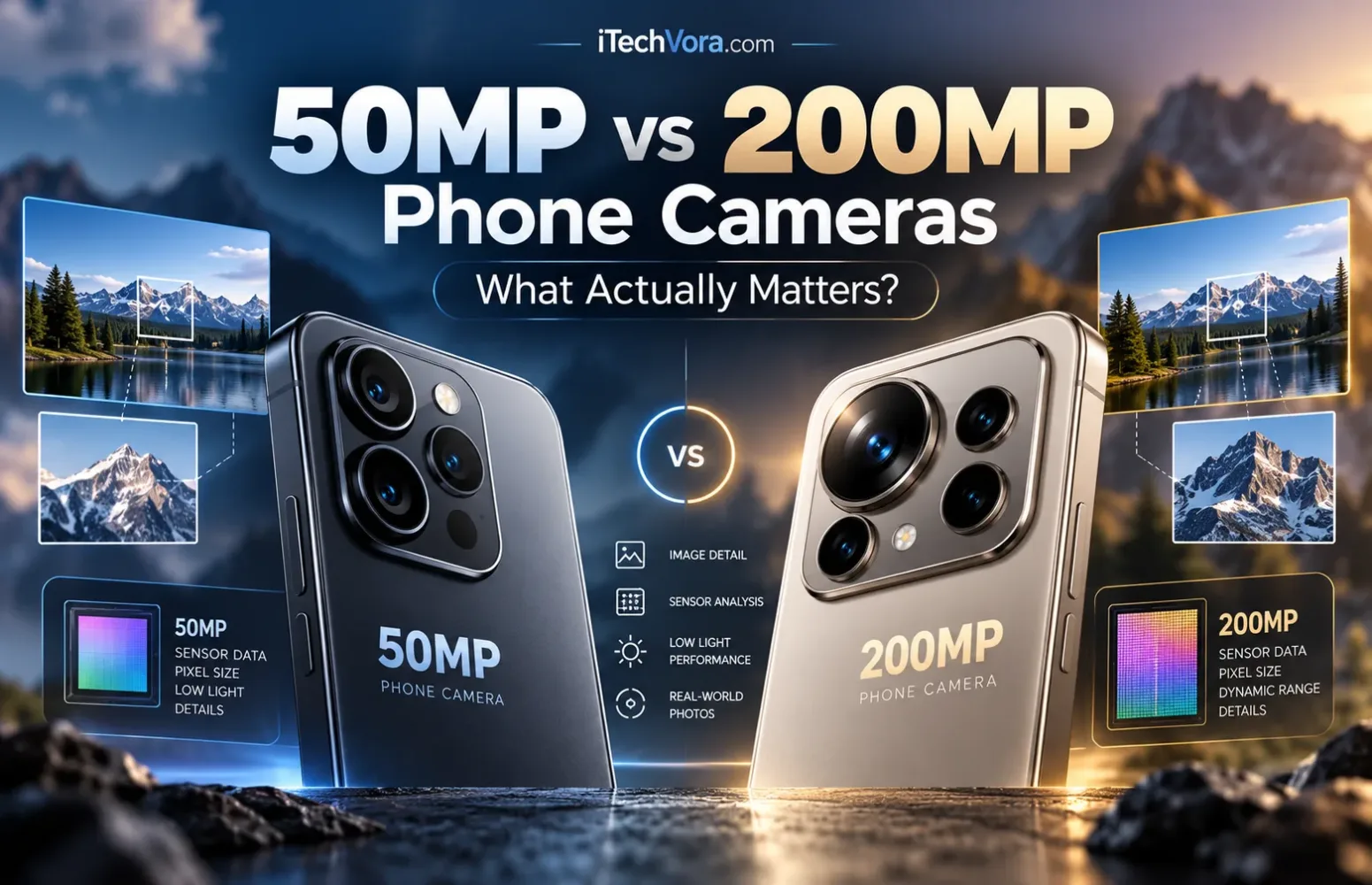
I would not pay more for a phone simply because its camera says 200MP. I would pay more for a camera that reliably captures the photographs I care about—and extra resolution can be part of that.
A 200MP camera can provide more room for cropping and fine detail in suitable conditions. A 50MP camera can still produce better photographs if its sensor, lens, autofocus and processing work better together. Neither number tells you which phone handles an indoor birthday party, a moving pet or a bright window behind someone’s face more successfully.
There is another detail worth checking: a 200MP camera does not necessarily save 200MP photographs by default.
What the extra megapixels actually give you
A megapixel represents roughly one million pixels. A full-resolution 200MP image contains four times as many pixels as a 50MP image.
That does not mean four times the sharpness. At the same aspect ratio, quadrupling the pixel count doubles the number of pixels along each dimension. Whether those additional pixels contain useful detail depends on the lens, focus, light, movement and image processing.
Cropping is a clearer way to understand the benefit. Keep half the width and half the height of a 200MP photograph, and you retain one-quarter of its pixels: approximately 50MP. The equivalent crop from a 50MP photograph contains about 12.5MP. Samsung’s resolution explanation
That gives you more flexibility to reframe a landscape or isolate an architectural detail. It does not guarantee that the cropped photograph will look as good as one taken through a suitable telephoto lens.
| What you photograph | What deserves attention |
|---|---|
| Landscapes and buildings in good light | Fine detail, lens quality and high-resolution output |
| Children, pets and everyday movement | Autofocus, exposure choices and capture responsiveness |
| Indoor portraits and night scenes | Light gathering, stabilization and processing |
| Distant subjects | Telephoto hardware and results at your preferred zoom |
| Mostly uncropped pictures for sharing | Consistent exposure, colour and focus |
Why both cameras might save a 12.5MP photograph
Many phone sensors use pixel binning, combining information from neighbouring pixels to produce a lower-resolution image.
Samsung’s 50MP ISOCELL GN3, for example, supports combining four pixels into one output pixel for 12.5MP images. Its 200MP ISOCELL HP2 supports four-pixel grouping for 50MP output or sixteen-pixel grouping for 12.5MP output. GN3 documentation, HP2 documentation
The sensor’s physical size does not change. Binning changes how its information is combined and read out, trading output resolution for other imaging benefits.
Two phones saving 12.5MP pictures therefore do not necessarily have equivalent cameras. Their sensors, lenses and processing can be substantially different.
Also distinguish a phone with a native 50MP sensor from the 50MP shooting mode on a 200MP phone. Those are different comparisons. Available modes depend on the particular phone and camera app.
Sensor size gives the megapixel number context
Sony’s LYTIA range illustrates the problem with treating 50MP as a quality category. Its published lineup includes approximately 50MP sensors ranging from the 1/0.98-type LYT900 to the much smaller 1/2.93-type LYT500. They share a similar resolution while serving different imaging requirements. Sony’s sensor specifications
A larger sensor can offer more total light-gathering potential with suitable optics and comparable shooting conditions. But sensor size alone is not a verdict either: lens aperture, sensor design and exposure all matter.
I would avoid the opposite shortcut, too: “50MP has larger pixels, so it must be better at night.” That only follows under particular assumptions about sensor size and construction. Pixel count does not establish either.
Low light and movement reveal different weaknesses
A photograph of a stationary building at night and one of a running child indoors ask very different things of a camera.
Optical image stabilization helps compensate for camera movement. It cannot hold your subject still. The background may look crisp while a person moving through the frame appears blurred. Apple’s explanation of OIS, Samsung’s guidance on motion and lighting
Processing adds another layer. Google’s HDR+ research describes combining multiple exposures to control bright areas and reduce noise, while accounting for movement between frames. Those decisions affect the finished picture without changing the advertised megapixel count. Google Research
For family photography, I would examine matched samples of moving subjects before studying tightly cropped daylight landscapes. Look for sharp faces, believable skin tones and consistent results across several attempts.
For night scenes, start with the phone’s default or night mode. Compare high-resolution output only where the lighting and subject allow it.
Check which camera carries the headline resolution
A phone’s largest megapixel number usually describes one camera, not every lens on the back.
Samsung’s India specifications for the Galaxy S26 Ultra, for example, list a 200MP wide camera, 50MP ultrawide, 50MP telephoto with 5x optical zoom, and 10MP telephoto with 3x optical zoom. Those cameras perform different jobs. Samsung India
If you regularly photograph distant subjects, inspect telephoto results at the magnifications you actually use. A high-resolution main camera can support useful cropping, but cropping does not change its lens’s focal length.
Likewise, a 200MP main camera says little about selfie quality or how the ultrawide handles dim interiors.
Full resolution brings practical trade-offs
I would treat maximum resolution as a mode to choose deliberately.
A well-lit, stationary scene you expect to crop is a sensible opportunity. For spontaneous photographs, compare the convenience and results of the default mode first.
Samsung documents longer processing times when taking successive high-resolution photographs on the Galaxy S23 Ultra. That is a model-specific example, not evidence that every 200MP phone has the same delay. Samsung support
Storage also deserves attention. Full-resolution files generally require more space, but there is no universal “200MP photo size.” Compression, file format and scene detail change the result.
If you plan to keep large photo collections locally, our phone-storage buying guide explains how to choose capacity around your habits.
Video needs its own comparison
A standard 3840 × 2160 UHD 4K frame contains approximately 8.3 million pixels. Both 50MP and 200MP exceed that count, but neither guarantees superior video.
Sensor readout, processing, autofocus, stabilization and supported recording modes determine what the phone can do with that information. Check actual footage, available frame rates and restrictions when switching cameras.
I would not choose a phone for video from its still-photo resolution.
What I would check before buying
First, compare photographs from the exact phones at similar prices. View them at the same displayed size, then inspect crops when detail matters to you. Comparing both files at 100% magnification displays the higher-resolution image at a larger scale.
Look closely at how each phone handles movement indoors, faces against bright backgrounds, night shots and the zoom settings you use most. Then compare its standard photos with full-resolution images. Does the extra detail justify larger files and any additional processing time?
Choose 200MP because the particular camera gives you useful cropping flexibility or better results—not because 200 is larger than 50. A dependable 50MP camera remains a sensible choice when it handles your everyday photographs well.
Frequently asked questions
Does a 200MP camera take better pictures than a 50MP camera?
Not automatically. Higher resolution can preserve more detail under suitable conditions, but the complete camera system determines the result.
Is a 12.5MP photo from a 200MP camera a fault?
No. Pixel binning can intentionally produce lower-resolution photographs. Check the phone’s supported modes before assuming something is wrong.
Should I always turn on the highest resolution?
Use it when you need additional detail or cropping flexibility and conditions support it. Compare it with the default mode rather than assuming maximum resolution is always preferable.
Report an issue with this article
Spotted outdated information or a broken link? The article URL is included automatically. Reports are private. Please do not include sensitive personal information.
Contact us at itechvora@gmail.com with the article link.