Apple normally makes buyers pay a considerable premium to enter the MacBook ecosystem. The MacBook Neo changes that equation, but after looking closely at the specifications, I think its low-cost positioning is only half of the story.
The more interesting question is what Apple kept — and what it deliberately removed — to create a cheaper Mac.
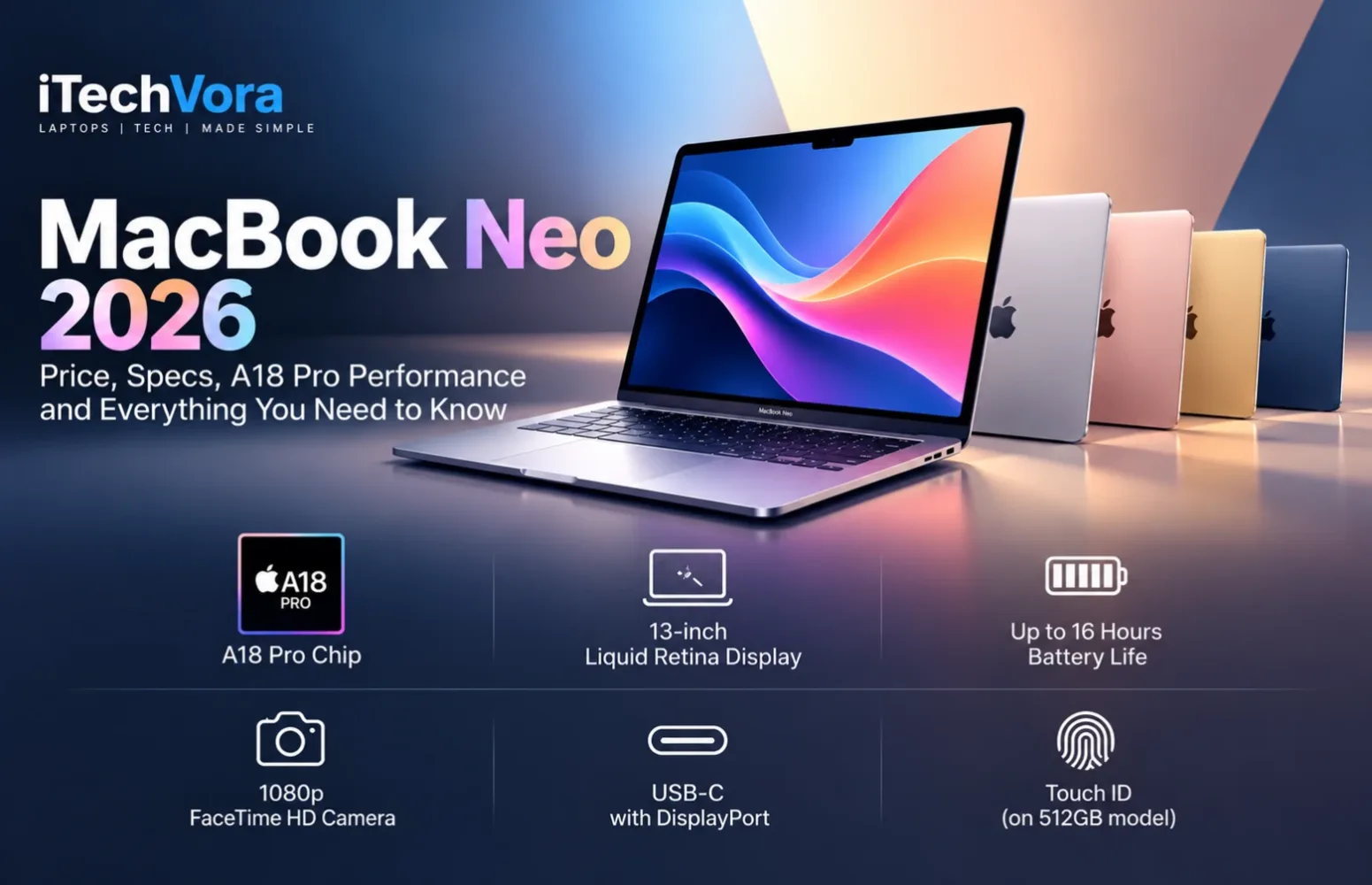
MacBook Neo still gives buyers an aluminium chassis, a high-resolution 13-inch display, Apple silicon, macOS, a 1080p camera and strong battery efficiency. But Apple has also drawn clear boundaries around memory, storage expansion, connectivity and some everyday conveniences.
That makes the MacBook Neo one of the most interesting entry-level laptops of 2026, but not automatically the right Mac for everyone.
MacBook Neo at a Glance
| Specification | MacBook Neo |
|---|---|
| Processor | Apple A18 Pro |
| CPU | 6-core: 2 performance + 4 efficiency cores |
| GPU | 5-core integrated GPU |
| Neural Engine | 16-core |
| Memory | 8GB unified memory |
| Storage | 256GB or 512GB SSD |
| Display | 13-inch Liquid Retina IPS |
| Resolution | 2408 × 1506 |
| Refresh rate | 60Hz |
| Rated brightness | 500 nits |
| Battery | 36.5Wh |
| Claimed battery life | Up to 16 hours video streaming |
| Camera | 1080p FaceTime HD |
| Wireless | Wi-Fi 6E, Bluetooth 6 |
| Ports | USB 3 USB-C, USB 2 USB-C, 3.5mm audio |
| External display | One display up to 4K 60Hz |
| Weight | 1.23kg |
| Thickness | 1.27cm |
| Colours | Silver, Blush, Citrus, Indigo |
| Operating system | macOS |
Apple offers two main storage configurations: 256GB and 512GB. Both use 8GB of unified memory and the same A18 Pro architecture, but the 512GB version also includes Touch ID, whereas the entry model uses a standard Magic Keyboard without Touch ID.
MacBook Neo Price in 2026: Pay Attention to the Current Price
This is one area where older articles can now be misleading.
Apple introduced MacBook Neo in March 2026 at $599 in the United States and ₹69,900 in India. The original education pricing was $499 and ₹59,900 respectively.
Those are no longer Apple’s regular retail starting prices.
As of October 2026, Apple’s official stores list MacBook Neo from:
- $699 in the United States
- ₹79,900 in India
Current education pricing starts at:
- $599 in the United States
- ₹69,900 in India
That distinction matters. A buyer finding a six-month-old review may still see the original $599 headline price and assume it remains the normal retail price. Apple’s current store tells a different story.
I think the price increase changes the value discussion somewhat. The Neo remains Apple’s least expensive MacBook, but at $699 or ₹79,900, its limitations deserve more scrutiny than they did at launch.
A18 Pro Performance: An iPhone-Class Chip in a Mac Is More Interesting Than It Sounds
MacBook Neo uses Apple’s A18 Pro, rather than an M-series processor.
Its CPU combines two performance cores with four efficiency cores. The chip also contains a 5-core GPU with hardware-accelerated ray tracing, a 16-core Neural Engine and 60GB/s of memory bandwidth. Hardware media engines handle H.264, HEVC, ProRes, ProRes RAW and AV1 decoding.
At first, putting a smartphone-derived chip into a MacBook sounds like the biggest compromise. After examining independent testing, I don’t think that is the Neo’s biggest problem.
Tom’s Guide recorded 3,535 single-core and 8,920 multi-core in Geekbench 6. In the same test set, the M5 MacBook Air scored 4,168 and 17,067 respectively. The Neo therefore gives up substantial multi-core performance to the Air, while retaining quite strong responsiveness for lighter workloads.
That is exactly where I would place this laptop: web applications, Office-style productivity, email, research, streaming, lighter photo work, school assignments, business administration and general home computing.
Heavy video production, large development projects, complex professional workloads and serious 3D work are different propositions.
The A18 Pro itself is not the reason I would hesitate there. The surrounding configuration is.
8GB Unified Memory Is the Specification I Would Watch Most Closely
Every MacBook Neo configuration currently comes with 8GB of unified memory.
There is no 16GB option.
For normal browsing, documents, streaming, communication and moderate multitasking, 8GB can remain perfectly usable under macOS. Independent reviews have also found the Neo responsive in ordinary workloads.
But I would not confuse “usable today” with “ideal for every buyer.”
Memory is not upgradeable later, so someone planning to keep the machine for several years should think about future workloads as well as current ones. Large creative applications, virtual machines, heavier software development and unusually large multitasking sessions can all make 8GB a much more meaningful limitation.
This is where the MacBook Air becomes easier to justify despite its higher price. Apple’s current M5 MacBook Air begins with more memory and belongs to an entirely different performance class.
For a student writing assignments, a family computer or a lightweight office machine, 8GB bothers me less. For a developer or creator buying a primary laptop for several years, it would be one of my first reasons to look higher in the Mac range.
The 13-Inch Display Is Better Than the Budget Positioning Suggests
Apple uses a 13-inch IPS Liquid Retina panel with a 2408 × 1506 resolution, 219 pixels per inch and a 60Hz refresh rate. Apple rates brightness at 500 nits and specifies sRGB colour support.
Independent measurement supports the brightness claim. Notebookcheck measured an average of roughly 519 nits, with 97.9% sRGB coverage in its sample. It also measured about 72% Display P3 coverage.
That distinction matters.
This is a sharp and bright display for mainstream use, but I would not describe it as the wide-gamut creative display found on more expensive Macs merely because Apple calls it Liquid Retina.
It is also only 60Hz. That’s completely reasonable for office work and general computing, but buyers moving from a 90Hz, 120Hz or higher-refresh display may notice the difference in motion smoothness.
What stood out to me is how few compromises Apple made in resolution and brightness. Among the areas where costs were reduced, the panel appears to be one of the better protected parts of the machine.
Battery Life Is Strong, but Brightness Changes the Picture
MacBook Neo contains a relatively small 36.5Wh battery. Apple claims up to 16 hours of video streaming and up to 11 hours of wireless web use.
Independent testing shows why battery claims need context.
Tom’s Guide recorded 13 hours 28 minutes in continuous web browsing at 150 nits. Notebookcheck recorded 12 hours 51 minutes in its Wi-Fi test at the same 150-nit brightness level.
Those are impressive results considering the battery capacity.
Notebookcheck also found something buyers should know: at maximum display brightness, its Wi-Fi runtime dropped to 4 hours 49 minutes. Different testing methodologies mean these numbers should not be directly mixed into one universal battery figure, but they demonstrate how dramatically display brightness and workload can change real runtime.
So I would describe the Neo as an efficient laptop rather than simply calling it a “16-hour laptop.”
The Ports Reveal Where Apple Saved Money
MacBook Neo has two USB-C connectors, but they are not equal.
One supports:
- USB 3 up to 10Gbps
- DisplayPort
- Charging
The second supports:
- USB 2 up to 480Mbps
- Charging
A 3.5mm headphone jack completes the physical connectivity. There is no Thunderbolt support.
This is probably the specification most likely to catch an uninformed buyer.
Two USB-C connectors may look similar on the chassis, but a 480Mbps USB 2 port is very different from a modern high-speed USB-C or Thunderbolt connection.
The MacBook Neo can drive one external monitor at up to 4K 60Hz through its USB 3 port. It cannot offer the docking flexibility, multi-display capability or high-speed peripheral support buyers may associate with a MacBook Air or MacBook Pro.
For someone connecting a charger and occasionally attaching storage, that may be fine. For a desk setup involving multiple displays, fast external SSDs, docks and other peripherals, I would examine the Air instead.
256GB or 512GB? The Upgrade Is About More Than Storage
The base Neo includes a 256GB SSD. The higher configuration provides 512GB.
Neither configuration offers user-upgradeable internal storage, so the choice at purchase has long-term consequences.
The 512GB model also includes Touch ID, while the 256GB version does not.
I find that product decision more significant than it initially appears. Touch ID is normally an everyday Mac convenience rather than something buyers think of as a premium feature, yet Apple uses it here as part of the configuration separation.
The entry Neo also lacks a backlit keyboard, another compromise repeatedly noted in independent reviews.
Neither limitation ruins the laptop, but together they remind me that the Neo was designed to hit a particular cost target.
Camera, Audio and Wireless Connectivity Remain Respectable
Apple includes a 1080p FaceTime HD camera, dual microphones with directional beamforming and a dual-speaker system supporting Spatial Audio with Dolby Atmos content.
Wireless connectivity includes Wi-Fi 6E and Bluetooth 6.
The camera does not match the more advanced 12MP Center Stage system in the current MacBook Air, but 1080p remains appropriate for the Neo’s intended use.
At 1.23kg and just 1.27cm thick, portability is another genuine strength. The aluminium enclosure also helps it avoid the plasticky construction that still appears on some lower-priced Windows laptops.
MacBook Neo vs MacBook Air M5
This is the comparison I think potential Neo buyers should make before purchasing.
MacBook Neo costs far less, but the current M5 MacBook Air provides a faster processor, more memory, Thunderbolt 4, standard Touch ID, a backlit keyboard, a more capable camera, better external-display flexibility and a larger 13.6-inch panel.
Apple also rates the Air for up to 18 hours of battery life versus up to 16 hours for the Neo.
The Air is clearly the more capable computer.
The question is whether your workload needs what you’re paying extra for.
If the laptop will spend most of its life running Safari, Microsoft 365, Google Workspace, video calls, streaming services and lightweight applications, the Neo’s lower price makes considerably more sense.
If you compile large software projects, edit video frequently, use multiple monitors, work with large creative applications or expect heavy multitasking, I would move toward the Air.
New Windows Competition Is Starting to Target the Neo Directly
The Neo’s influence is already visible outside Apple.
HP’s newly announced OmniBook 5 14 starts at $699.99 and brings Intel’s Wildcat Lake platform, a 14-inch OLED display, 8GB RAM and 256GB storage at the entry level. Higher models extend to 16GB RAM and 1TB storage.
That makes the current $699 MacBook Neo price particularly interesting.
At launch, Apple’s $599 positioning was unusually aggressive. At $699, Windows manufacturers have more room to challenge it with OLED screens, additional ports, upgrade paths or different memory configurations.
Competition at this price point should therefore become much more interesting through late 2026 and 2027.
Who Should Buy the MacBook Neo?
I think MacBook Neo makes the most sense for:
- Students with mainstream study requirements
- First-time Mac buyers
- Existing iPhone users wanting an affordable Mac
- Families needing a dependable shared laptop
- Office users with browser and productivity-focused workloads
- Small-business users running lightweight administration and cloud applications
- Buyers prioritising portability and battery efficiency over maximum performance
The combination of macOS, Apple silicon efficiency, a good 13-inch display and an aluminium chassis gives it advantages that are difficult to dismiss.
Who Should Skip It?
I would look beyond the Neo if you need:
- More than 8GB unified memory
- Heavy professional video editing
- Large software-development workloads
- Several external displays
- Thunderbolt peripherals
- High-speed connectivity on every USB-C port
- Expandable internal storage
- A high-refresh display
- Serious gaming performance
- A backlit keyboard on the base configuration
Those aren’t obscure enthusiast requirements. Some are limitations that can affect ordinary long-term ownership, which is why understanding the intended workload matters more than simply seeing “MacBook” at a lower price.
Final Editor Thoughts
MacBook Neo is interesting because Apple did not simply create a cheaper MacBook Air.
It built a separate entry-level Mac around a different set of priorities.
The A18 Pro is powerful enough that I would not treat the smartphone-derived processor as the machine’s biggest weakness. Independent testing supports its ability to handle everyday computing surprisingly well.
Instead, I would pay much more attention to the 8GB memory ceiling, non-upgradeable storage, asymmetric USB-C ports, lack of Thunderbolt, single external-display support and stripped-back base keyboard.
Those compromises tell you exactly who this Mac is for.
For everyday computing, study, browsing, media and lighter business use, the MacBook Neo remains one of the most compelling ways into macOS. Its strong display, efficient Apple silicon and portable aluminium design are difficult to ignore.
But the current $699 / ₹79,900 regular starting price makes the buying decision less automatic than it was at launch. Buyers who expect heavier workloads or longer-term performance demands should compare the cost of stepping up before choosing purely on price.
The MacBook Neo succeeds because it does not need to replace the MacBook Air. It only needs to give mainstream buyers enough Mac for considerably less money — and for the right workload, I think it does exactly that.
Apple MacBook Neo 13-inch (2026), A18 Pro, 8GB unified memory, 256GB SSD — base configuration.
The MacBook Neo is aimed at students, first-time Mac buyers and mainstream users who spend most of their time browsing, studying, streaming, communicating and using everyday productivity apps. Its strongest combination is the efficient A18 Pro, sharp 13-inch display and lightweight aluminium design. The main long-term compromise is the fixed 8GB unified memory, followed by limited storage expansion and modest connectivity.
How we tested
Research-based product assessment; no iTechVora hands-on testing conducted. Specifications and observations are based on verified manufacturer information and clearly attributed independent sources where applicable.
What we like
- A18 Pro provides strong capability for mainstream productivity and everyday Mac workloads.
- 13-inch 2408 × 1506 IPS display is rated at 500 nits and supports sRGB colour.
- Compact aluminium chassis weighs 1.23kg.
- Apple claims up to 16 hours of video streaming.
- USB-C charging is supported through both USB-C ports.
- 1080p FaceTime HD camera.
- Wi-Fi 6E and Bluetooth 6.
- Fanless design eliminates fan noise.
What to consider
- 8GB unified memory is fixed and cannot be upgraded.
- Internal SSD storage is soldered; 256GB and 512GB are the official capacities.
- One USB-C port is limited to USB 2 speeds of up to 480Mbps.
- No Thunderbolt.
- Only one external display is supported, up to 4K at 60Hz.
- Base 256GB configuration does not include Touch ID.
- The base keyboard does not provide the backlighting found on MacBook Air.
- 60Hz display rather than a higher-refresh panel.
- Current $699 starting price reduces the price gap advantage compared with the original $599 launch price.
Key specifications
| Field | Value |
|---|---|
| Manufacturer | Apple |
| Model | MacBook Neo 13-inch |
| Configuration | A18 Pro / 8GB / 256GB |
| Operating System | macOS |
| CPU | Apple A18 Pro, 6-core CPU |
| CPU Layout | 2 performance cores + 4 efficiency cores |
| GPU | Integrated 5-core Apple GPU |
| Neural Engine | 16-core |
| Memory | 8GB unified memory |
| Memory Bandwidth | 60GB/s |
| Storage | 256GB SSD |
| Upgradeability | RAM and SSD soldered; not user-upgradeable |
| Display Size | 13.0 inches |
| Resolution | 2408 × 1506 |
| Panel | LED-backlit IPS Liquid Retina |
| Aspect Ratio | 16:10 |
| Refresh Rate | 60Hz |
| Brightness | 500 nits rated |
| Colour | sRGB colour, 1 billion colours |
| Independent Colour Measurement | Notebookcheck measured 97.9% sRGB and 72.2% Display P3 on its 256GB review unit |
| Touch | No |
| Battery | 36.5Wh lithium-ion |
| Official Battery Claim | Up to 16 hours video streaming; up to 11 hours wireless web |
| Charger | 20W USB-C Power Adapter |
| Wireless | Wi-Fi 6E, Bluetooth 6 |
| USB-C 1 | USB 3 up to 10Gbps, charging, DisplayPort |
| USB-C 2 | USB 2 up to 480Mbps, charging |
| Audio Port | 3.5mm headphone jack |
| Thunderbolt | No |
| External Display | One external display up to 4K at 60Hz |
| Webcam | 1080p FaceTime HD |
| Audio | Dual-speaker system, Spatial Audio support, dual-mic array |
| Keyboard | Magic Keyboard; no Touch ID on base 256GB model |
| Trackpad | Multi-Touch mechanical trackpad |
| Dimensions | 29.75 × 20.64 × 1.27cm |
| Weight | 1.23kg |
| Warranty | Apple One-Year Limited Warranty |
| Processor | Apple silicon SoC 6-core CPU 2 performance cores 4 efficiency cores 16-core Neural Engine 60GB/s unified-memory bandwidth Hardware media acceleration for H.264, HEVC, ProRes, ProRes RAW and AV1 decode |
| Graphics | 5 GPU cores Hardware-accelerated ray tracing Shares unified system memory No dedicated VRAM No discrete GPU GPU TGP: Not officially specified by Apple MUX / Advanced Optimus: Not applicable |
| Memory & storage | Memory: 8GB unified memory, fixed configuration. Independent teardown evidence confirms it is not user-upgradeable. Storage: 256GB SSD on the base configuration. Apple also sells a separate 512GB configuration. Teardown evidence confirms the SSD storage is soldered and not intended as a conventional user upgrade. Memory bandwidth: 60GB/s. Maximum officially offered RAM: 8GB. User-accessible RAM slots: None. User-accessible M.2 SSD slots: None. |
| Display | Size: 13.0 inches Resolution: 2408 × 1506 Panel: LED-backlit IPS Liquid Retina Aspect Ratio: 16:10 Refresh Rate: 60Hz Pixel Density: 219ppi Rated Brightness: 500 nits Colour: sRGB, support for 1 billion colours Independent Measurement: Notebookcheck measured 519.2 nits average brightness, 97.9% sRGB and 72.2% Display P3 on its 256GB review sample Touch: No HDR Playback: Dolby Vision, HDR10+, HDR10 and HLG supported for compatible video playback VRR / G-SYNC / FreeSync: Not specified / not applicable as a 60Hz MacBook display. |
| Battery & weight | Battery: 36.5Wh built-in lithium-ion battery Apple Battery Claim: Up to 16 hours of video streaming and up to 11 hours of wireless web use Power Adapter: 20W USB-C Power Adapter Charging: USB-C charging supported Weight: 1.23kg / 2.7lb Dimensions: 29.75 × 20.64 × 1.27cm Power Adapter Weight: Not verified. |
Side-by-side comparison
| Feature | MacBook Neo 13" | MacBook Air 13" M5 | Dell XPS 13 2026 | |
|---|---|---|---|---|
| --- | --- | --- | --- | |
| Processor | Apple A18 Pro, 6-core CPU | Apple M5, 10-core CPU | Intel Core 5 320, 6 cores | |
| Graphics | 5-core Apple GPU | 8-core GPU base | Intel Graphics | |
| RAM | 8GB unified | 16GB unified | 8GB LPDDR5X | |
| Storage | 256GB SSD | 512GB SSD | 256GB PCIe Gen4 SSD | |
| Display | 13", 2408 × 1506, IPS, 60Hz | 13.6", 2560 × 1664, IPS | 13.4", 2560 × 1600 touch, 30–120Hz | |
| Rated Brightness | 500 nits | 500 nits | 500 nits | |
| Battery | 36.5Wh | 53.8Wh | 52Wh | |
| External Displays | One up to 4K/60Hz | Up to two | Display support via USB-C | |
| Thunderbolt | No | 2 × Thunderbolt 4 | Thunderbolt 4 configuration support | |
| Weight | 1.23kg | 1.23kg | From 1kg | |
| Current Starting Price | $699 | $1,299 | $699.99 |
Our shortlist
| Best Budget MacBook | Strong candidate because it is currently Apple's least expensive MacBook and retains macOS, Apple silicon, an aluminium chassis and a high-resolution display. |
|---|---|
| Best Laptop for Students | Relevant for students focused on research, assignments, video calls, browser-based tools and mainstream productivity, provided 8GB memory and 256GB storage meet their needs. |
| Best Affordable Mac for Everyday Use | Particularly suitable for buyers wanting macOS for browsing, communication, streaming and lightweight office work without paying MacBook Air pricing. |
| Best Lightweight Laptop Under $700 | A reasonable category candidate at its current $699 U.S. starting price, with a 1.23kg chassis and strong portability. |
Step by step
- No verified product-specific how-to steps available.
Your questions, answered
Is MacBook Neo RAM upgradeable?
No. It has 8GB of unified memory integrated with the A18 Pro platform and it is not user-upgradeable.
Can the MacBook Neo SSD be upgraded?
Not through a normal user upgrade. Teardown evidence confirms that the internal storage is soldered. Apple sells 256GB and 512GB configurations.
Does MacBook Neo support USB-C charging?
Yes. Both USB-C ports support charging.
Does MacBook Neo have Thunderbolt?
No. Its faster USB-C connector supports USB 3 up to 10Gbps and DisplayPort, but Apple does not specify Thunderbolt support.
How many external monitors can MacBook Neo support?
One external display at up to 4K resolution and 60Hz while simultaneously using its built-in display.
Does every MacBook Neo have Touch ID?
No. Touch ID is provided on the 512GB configuration; the base 256GB configuration uses the standard Magic Keyboard without Touch ID.
How much does MacBook Neo weigh?
1.23kg, or approximately 2.7 pounds.
What warranty does MacBook Neo include?
Apple hardware is covered by Apple's One-Year Limited Warranty, subject to regional consumer-law rights and warranty terms.
Price & availability
$699.00
Last recorded price; may be outdated on 2026-10-04. Check the retailer for the latest price.
No affiliate or sponsorship relationship confirmed.
Sources & further reading
- Official Product Page ↗
- Official India Product Page ↗
- Official Specifications ↗
- Official India Specifications ↗
- Official Launch Announcement ↗
- Official India Launch Announcement ↗
- Official Apple US Store ↗
- Official Apple Warranty Information ↗
- Notebookcheck MacBook Neo Testing ↗
- iFixit MacBook Neo Teardown ↗
- Apple MacBook Air M5 Specifications ↗
- Dell XPS 13 2026 Official Page ↗
Report an issue with this article
Spotted outdated information or a broken link? The article URL is included automatically. Reports are private. Please do not include sensitive personal information.
Contact us at itechvora@gmail.com with the article link.